You are viewing an old version of this page. View the current version.
Compare with Current
View Page History
« Previous
Version 50
Next »
If you found a Zoom Phone calling card in your office, find the picture below that best matches your situation.
I have BOTH an old phone and a new Zoom phone. |
|---|
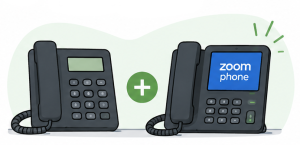
Good news! Your new Zoom phone is set up and ready for June 16. Keep using your current phone until June 16. Starting June 16, you'll use your new Zoom phone with the same university phone number. What should I do?Before June 16 - Continue using your current phone
- Set up your voicemail on your new Zoom phone
- Familiarize yourself with your new Zoom phone
Starting June 16 - Begin using your new Zoom phone
- Your university phone number will automatically move to your new Zoom phone
- Leave your old phone on your desk for collection
|
My old phone is gone. |
|---|

Good news! Your university phone number will be moved to Zoom Phone. Starting June 16, you'll use the Zoom app on your computer or mobile device to make and receive calls using the same phone number. What should I do?- Sign in to the Zoom app on your computer and/or mobile device
- Set up your voicemail
- Familiarize yourself with Zoom Phone
- Beginning June 16, make and receive calls on Zoom Phone using your university phone number
If you were expecting a desk phone, contact your department's Zoom Phone Department POC (Point of Contact)
|
I only have a new Zoom phone. |
|---|
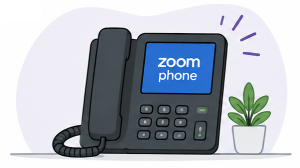
Good news! Your new Zoom phone may be ready to use. Your university phone number has likely already been moved to Zoom Phone, which is why your old phone is no longer present. You should be able to use your new Zoom phone immediately with the same university phone number (or on June 16th). If you are a new employee, welcome! Your Zoom phone should already be ready to use. What should I do? - Complete any remaining Zoom Phone setup tasks such as setting up your voicemail
- Familiarize yourself with your new phone
- Begin using your Zoom phone
|
I don't see my situation listed. |
|---|

If others in your area received calling cards and you did not, one of these is probably true: If you currently use a Siemens or Cisco phone, there’s still a good chance we’ll be visiting your area around June 16th. |
Need Help Getting Ready?
For setup instructions, training materials, and information about using Zoom Phone on your computer, mobile device, or desk phone, visit Getting Started with Zoom Phone.
Other Helpful Links
