
Overview
UWF allows up to three (3) free transcripts per year to active-duty military, veterans, and their dependents. Please see Florida Statute 1009.26 (17a). The following documentation is required in order to verify your eligibility for a free transcript. Without verification, the order can not be completed. Please allow 3 to 5 business days for processing. If you need the transcript immediately you may order the transcript through Parchment; however, you will be fee liable for the request. Please Note: In order for us to complete your request, we will need for you to register with Parchment. Please complete step 1 of the registration only. You may access Parchment via MyUWF by searching "Transcript Request".
Instructions:
Please follow the steps below to complete and submit your Military Transcript Request Release Authorization form.
Step 1:
Log into your MyUWF student account.
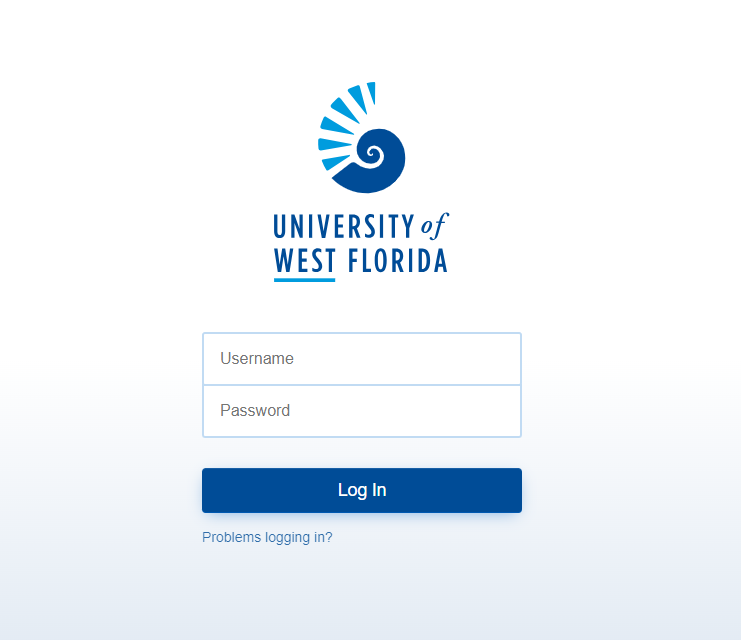
Enter Military Transcript Request in the search bar. Click the App that populates as seen below:

Step 2:
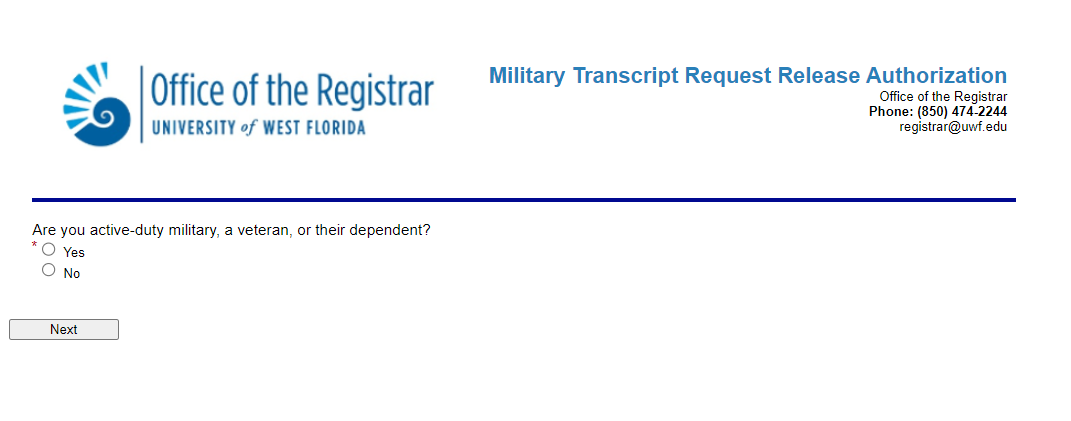
This will link you to the Military Transcript Request Release Authorization form. Confirm that you are an Active Duty Service Member of the United States Armed Forces, Veteran, their Spouse, or a Dependent (under the age of 26) by clicking "Yes". Then, click on the "Next" button to continue.
Step 3:
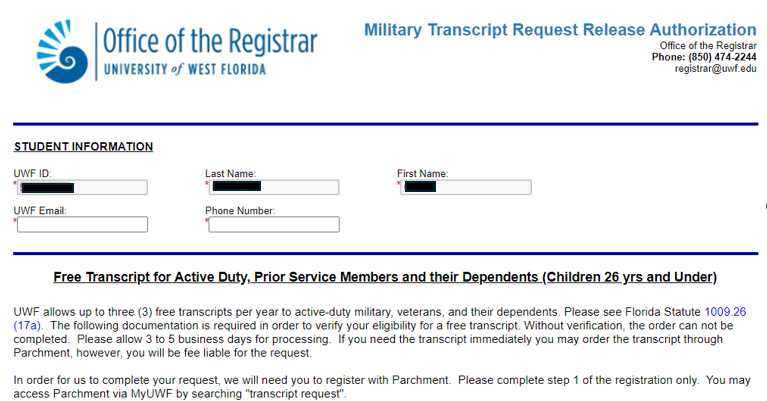
Enter your student information including:
1) UWF ID
2) Last Name
3) First Name
4) UWF Email Address
5) Phone Number
Step 4:
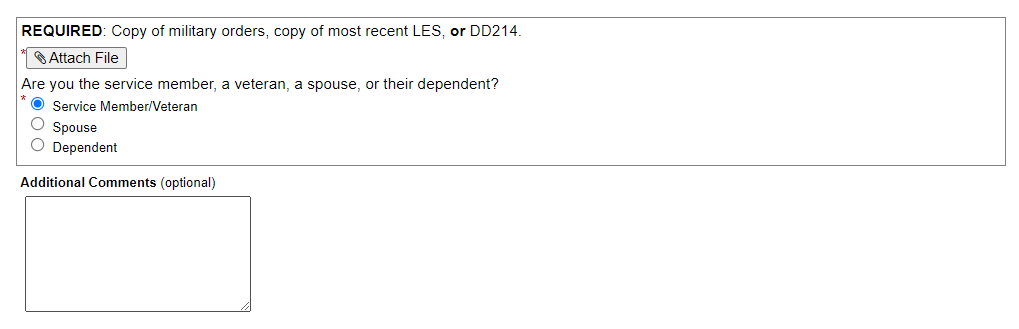
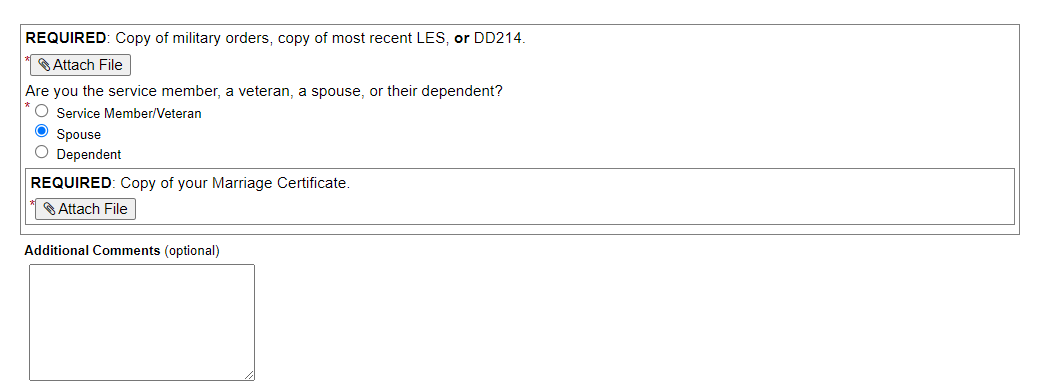
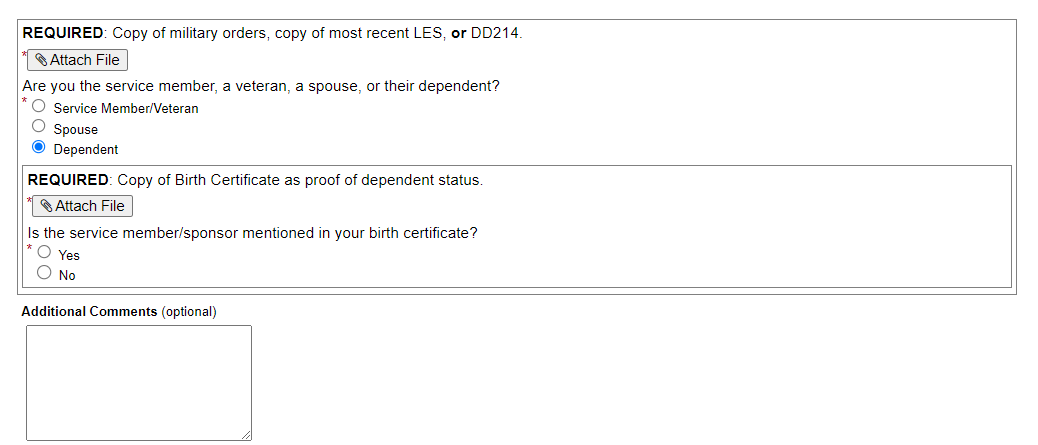
Attach the required documentation and add any additional comments, if needed, in the comment box provided as follows:
Service Member/Veteran:
Spouse:
Dependent:
Step 5:
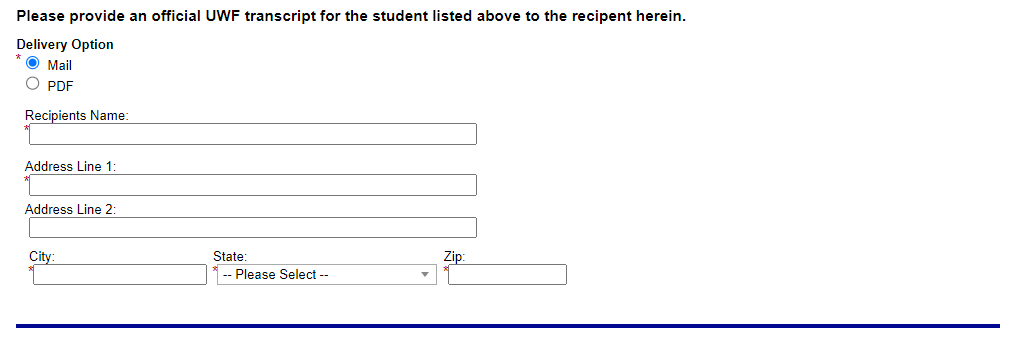
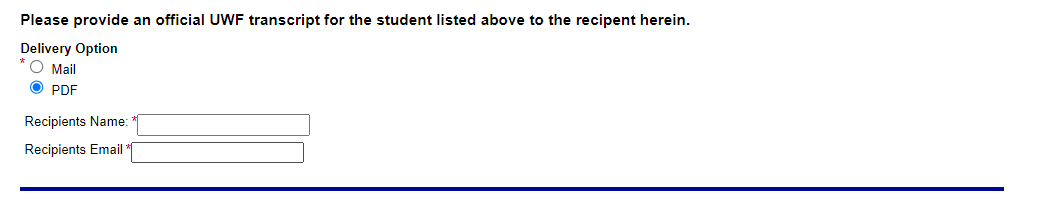
Provide the recipient's address.
Delivery via USPS to a physical address:
Delivery to an email address:
Step 6:
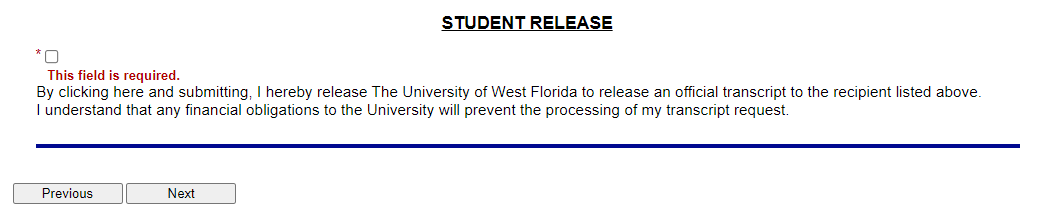
Click the statement below to authorize the University of West Florida to release your official transcript to the recipient requested; then, click the "Next" button.
Step 7:
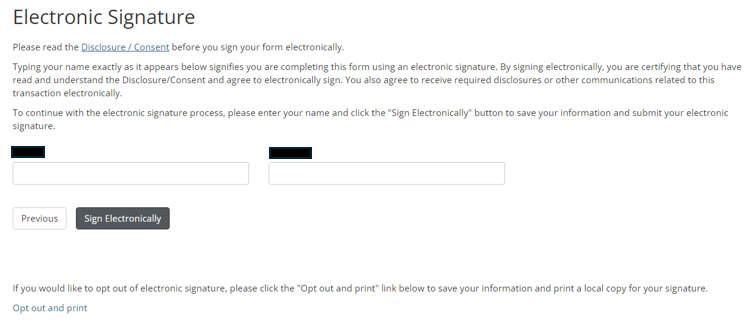
Read the Disclosure / Consent before you sign your form electronically.
Type your name exactly as it appears; this signifies that you are completing the form using an electronic signature. By signing electronically, you are certifying that you have read and understand the Disclosure/Consent and agree to electronically sign.
This also signifies your agreement to receive required disclosures or other communications related to this transaction electronically.
To continue with the electronic signature process, enter your name and click the "Sign Electronically" button to save your information and submit your electronic signature.
(Please note: If you choose to "Opt-out" of the electronic signature, click on the "Opt out and print" link provided under the signature blocks. This will allow you to print a hard copy for your signature.)
Step 8:
Once submitted, your form will then be routed to the UWF Registrar's Office for processing within 3 to 5 business days (excluding holidays).