
Overview
Instructions
Step 1
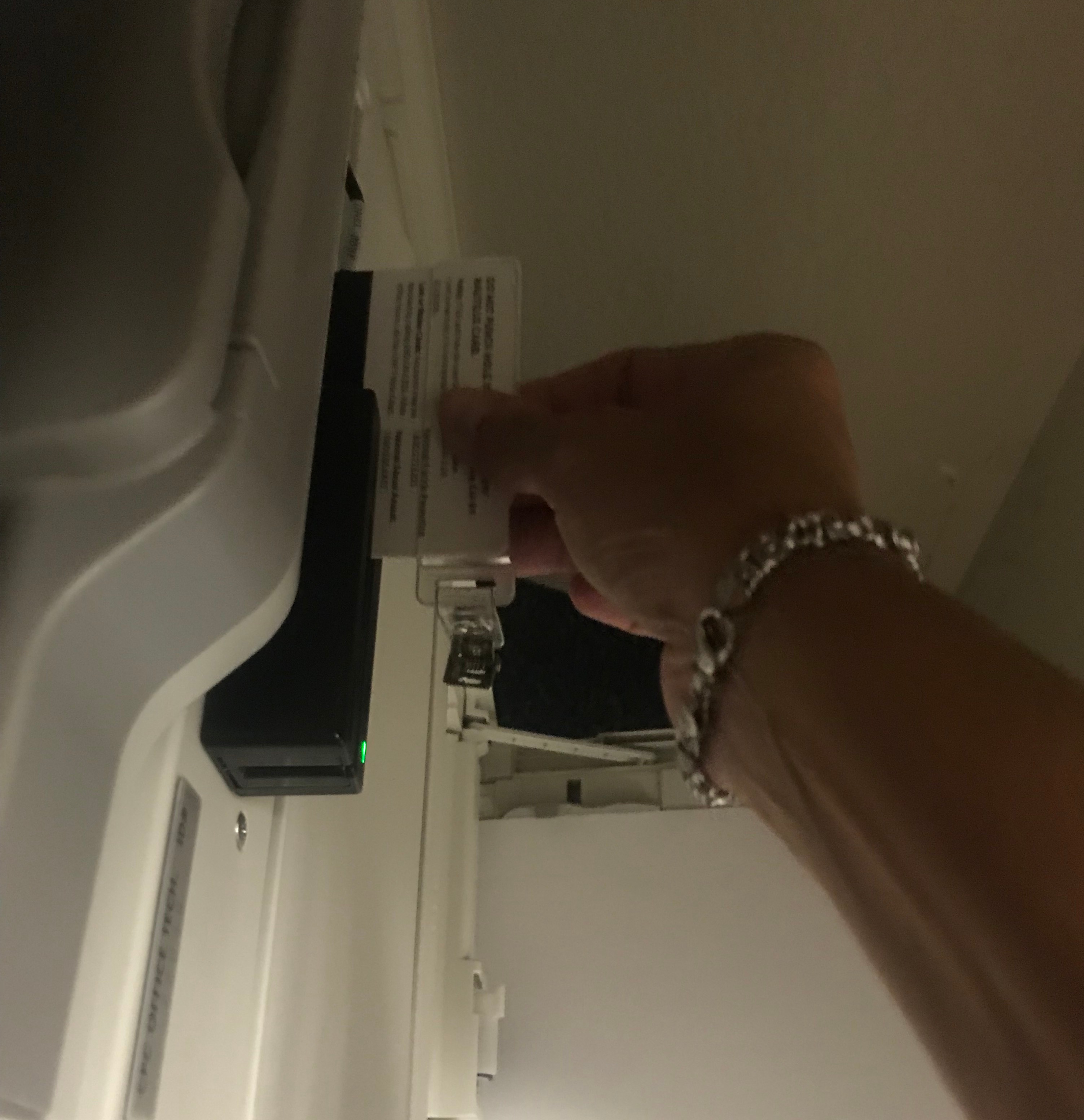
Swipe your personal Nautilus Card. (Card swipe is on right end on machine, over the bypass tray)
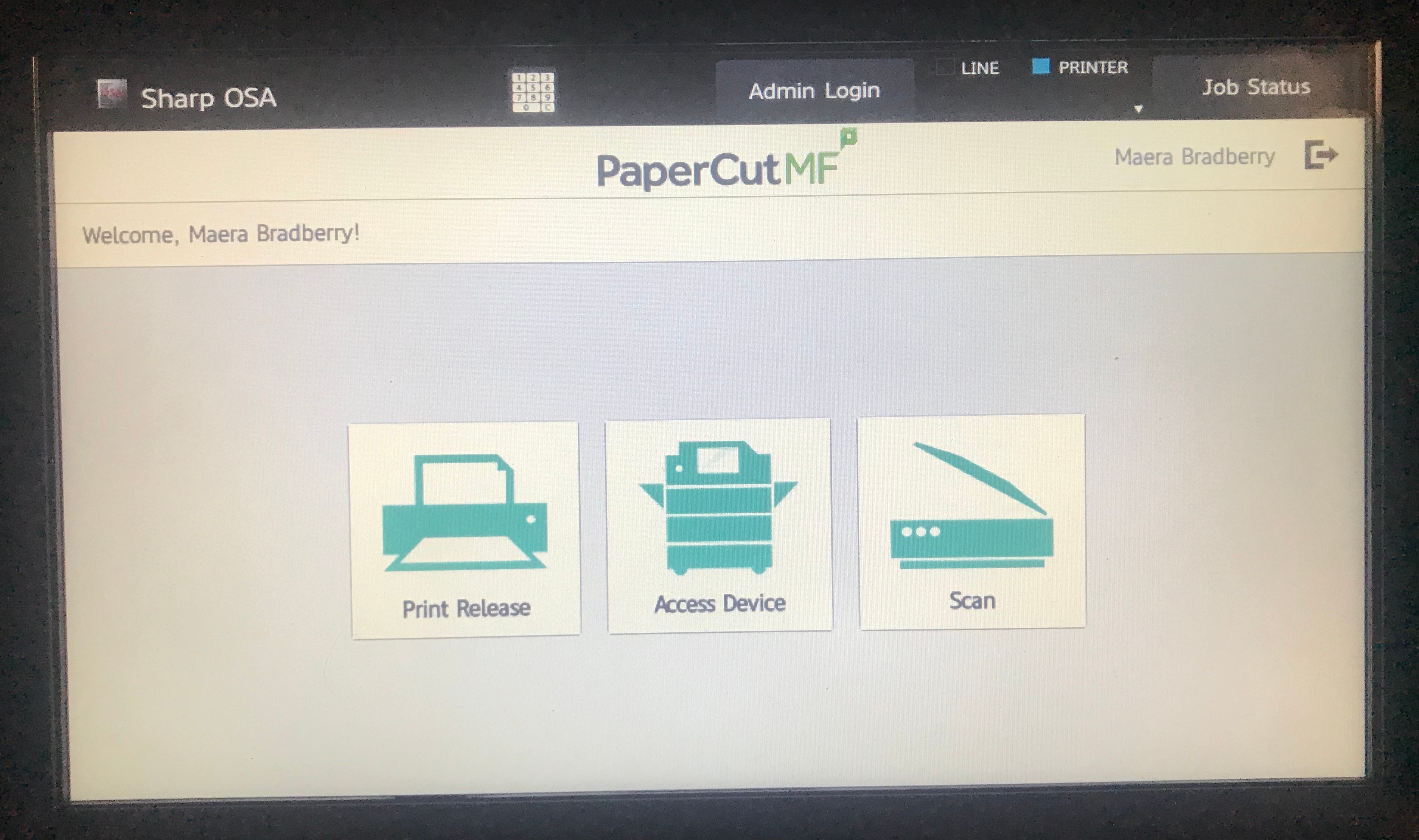
You will then see the screen below.
Step 2
Touch “Access Device”
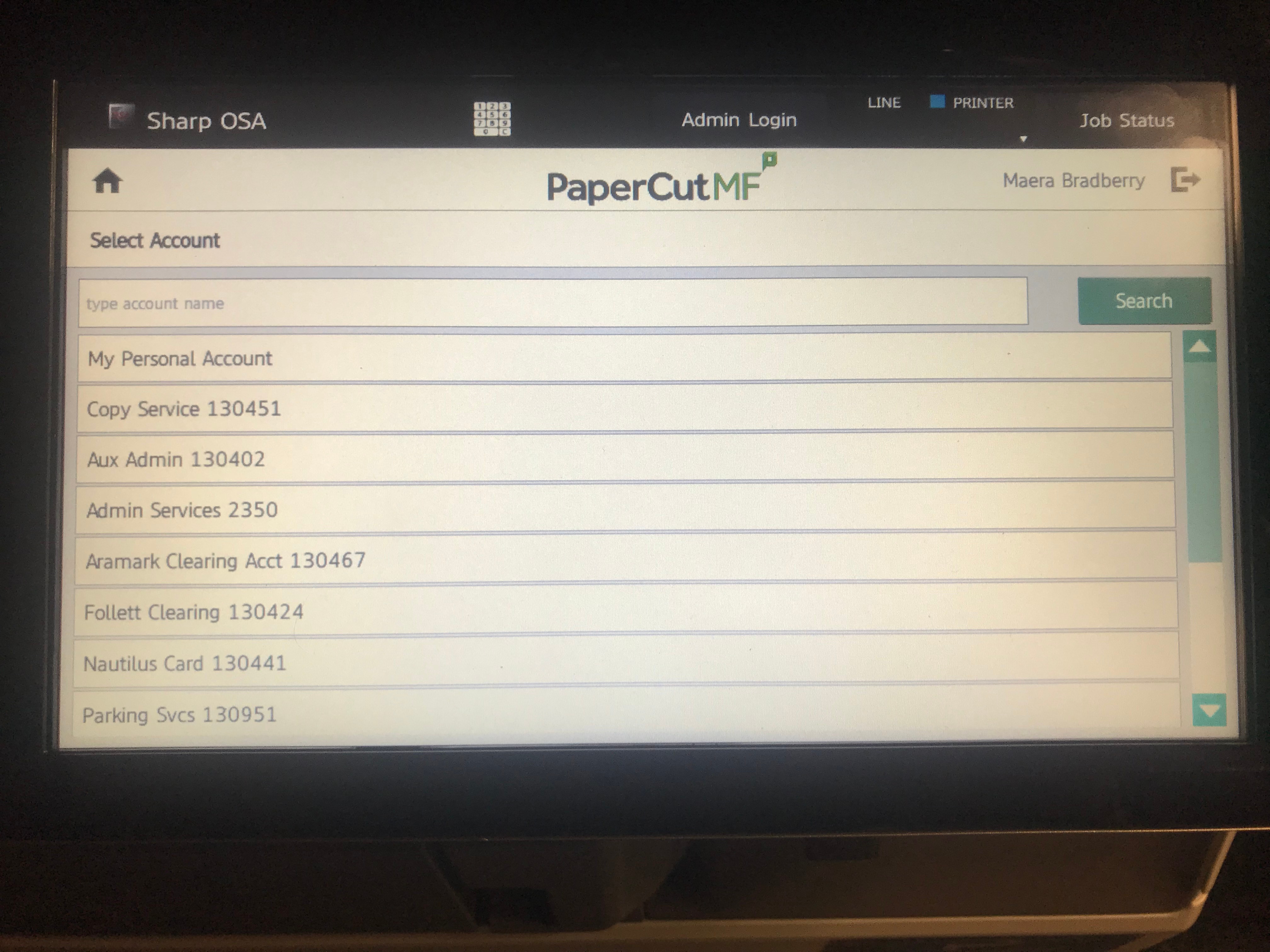
You will then see a screen similar to the one below, showing your Personal Account and department accounts to which YOU have access.
Select an account for your job to be charged.
Step 3
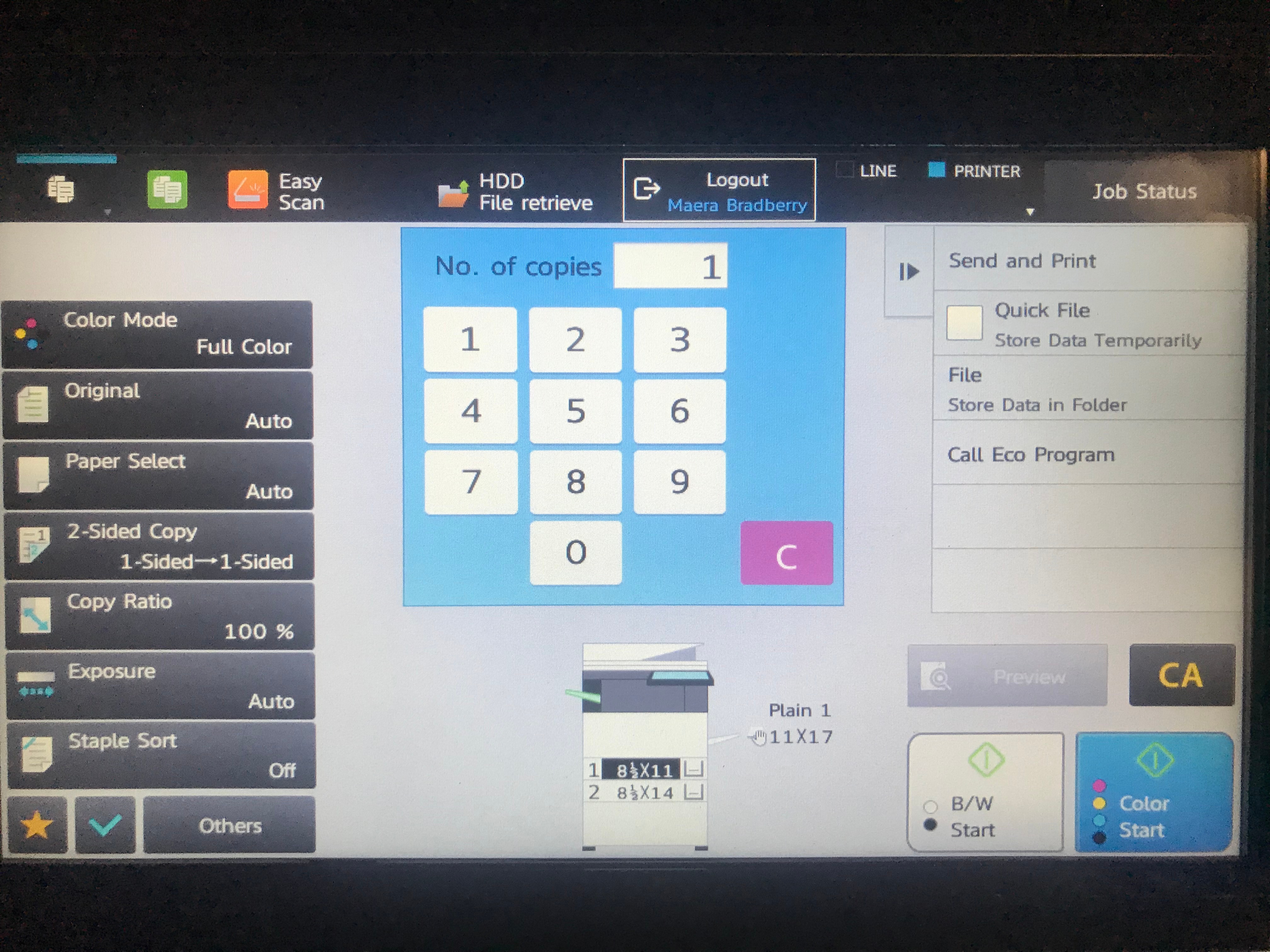
You will then see the Copy options screen. Make your selections that pertain to your job. Most devices offer a stapling option, if desired.
When ready to copy, touch the B/W or Color button in the bottom right corner of the screen. (You will only have a B/W button if you are not using a color device.)
Step 4
Your job will be copied. The job will be delivered to the tray on the left side of the device.