
Overview
UWF Copy Services provides departmental and student copiers to the UWF campus and its affiliates. Almost all of the devices on campus are networked and have Postscript capabilities so that print jobs can be sent from any computer, MAC or PC. There are 20 color and 71 black/white devices on campus. All networked devices are equipped for PC and MAC printing.
Instructions
Step 1
Swipe your personal Nautilus ArgoCard. (Card swipe is on right end on machine, over the bypass tray)
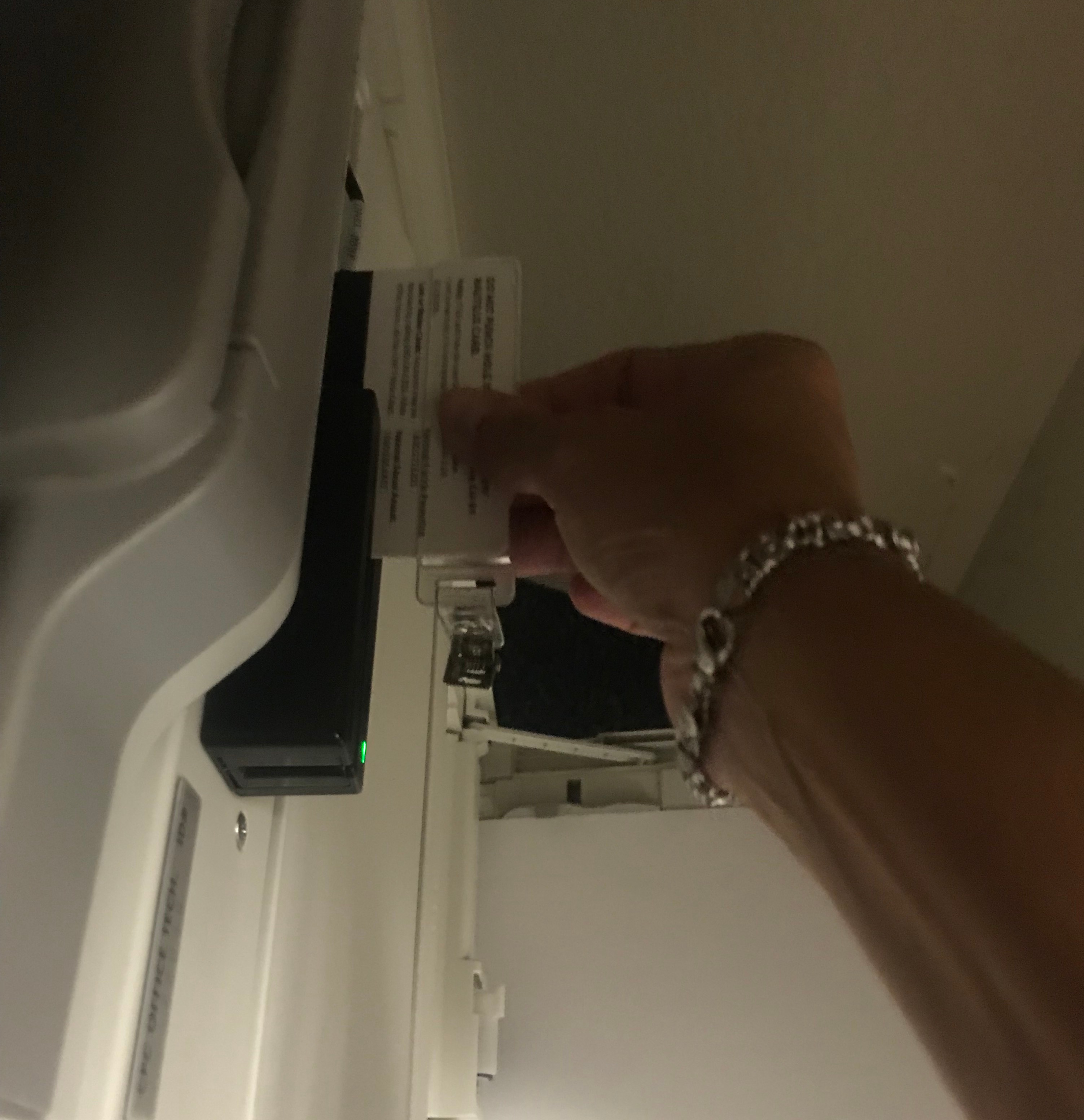
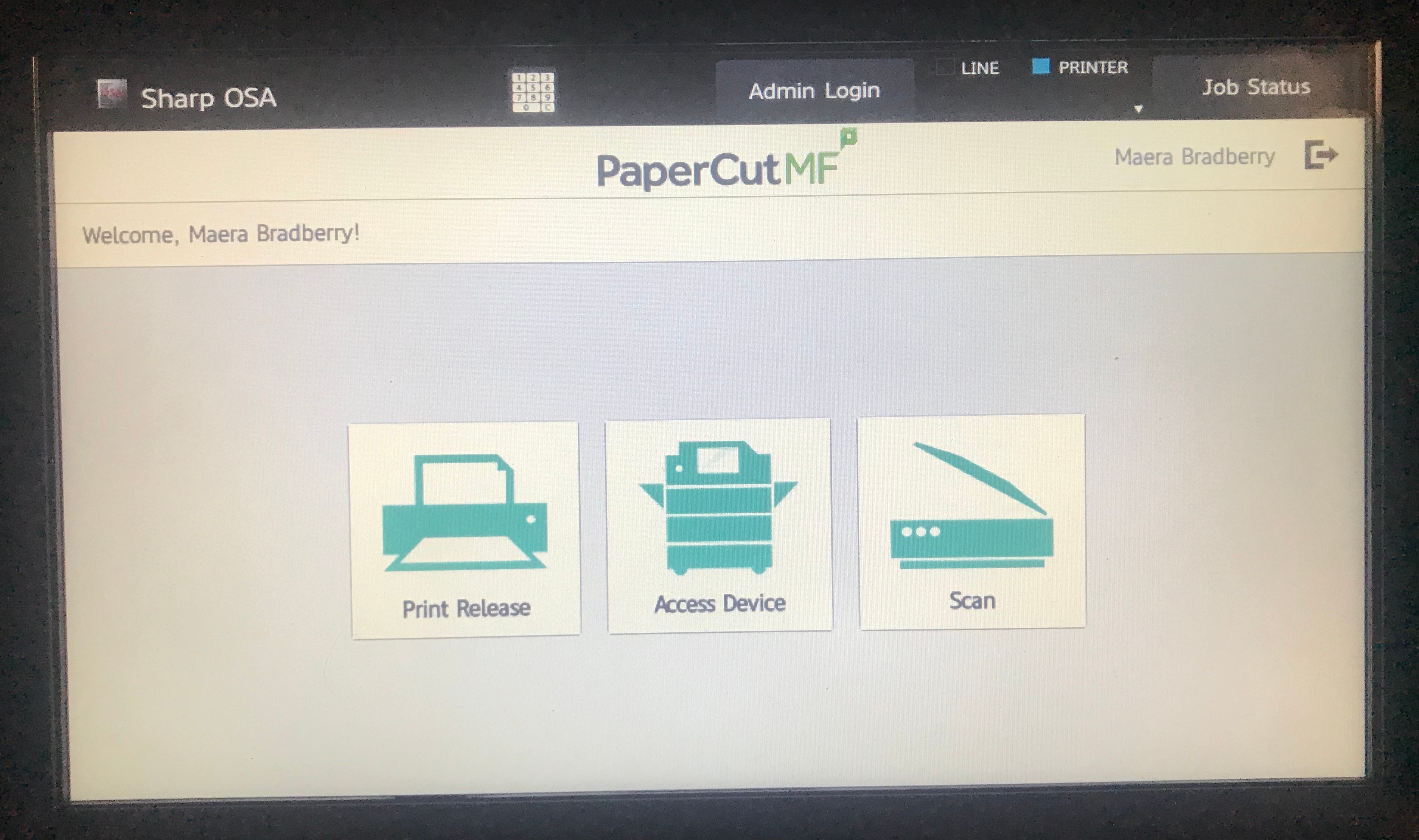
You will then see the screen below.
Step 2
Touch “Access Device”
...
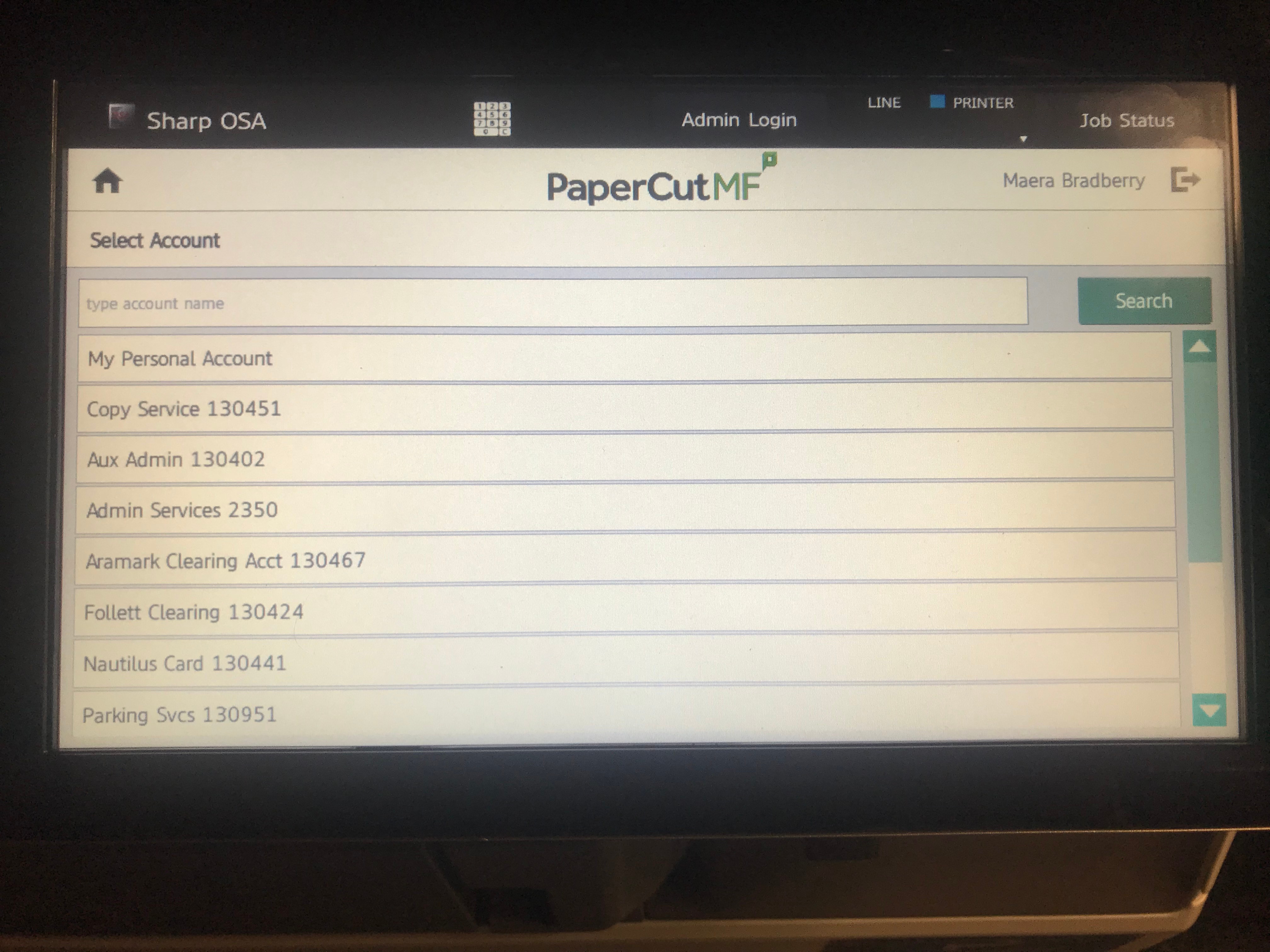
Select an account for your job to be charged.
Step 3
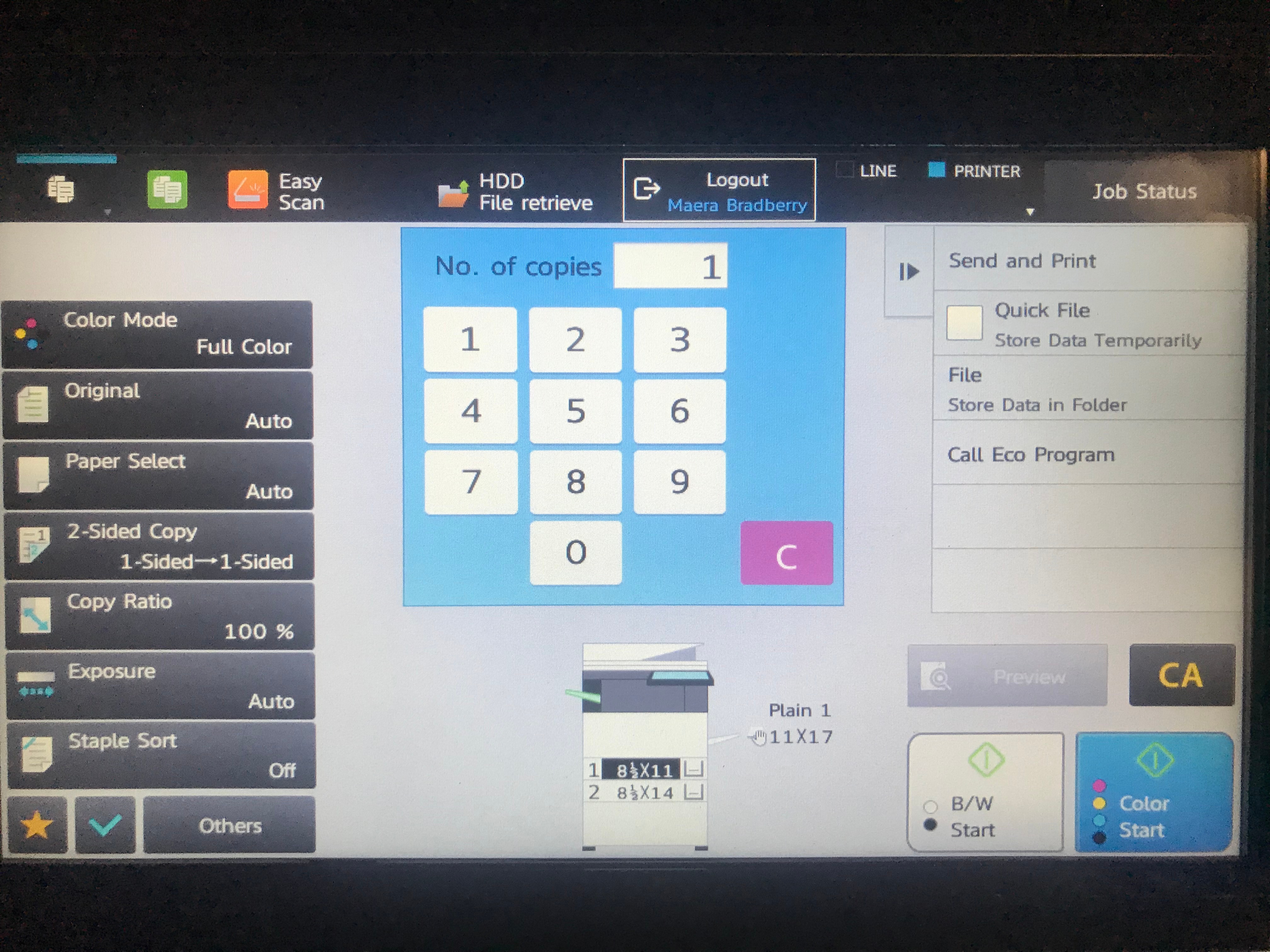
You will then see the Copy options screen. Make your selections that pertain to your job. Most devices offer a stapling option, if desired.
When ready to copy, touch the B/W or Color button in the bottom right corner of the screen. (You will only have a B/W button if you are not using a color device.)
Step 4
Your job will be copied. The job will be delivered to the tray on the left side of the device.
FAQs
...
| title | Enter question here |
|---|
...