
...
Forgetting the Network on Windows 10
...
| title | Forget Network |
|---|
If you need to forget the network to re-connect please see the following guide:
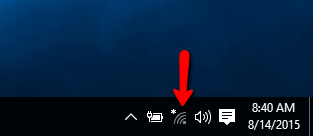
Step 1
Click on the network icon in the system tray.
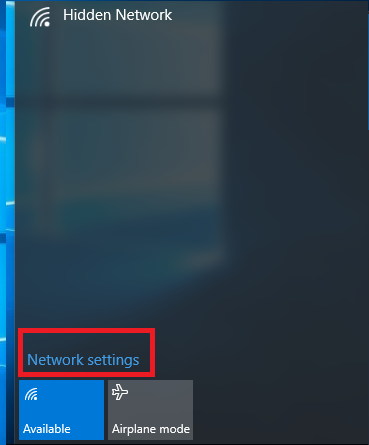
Step 2
Click Network Settings
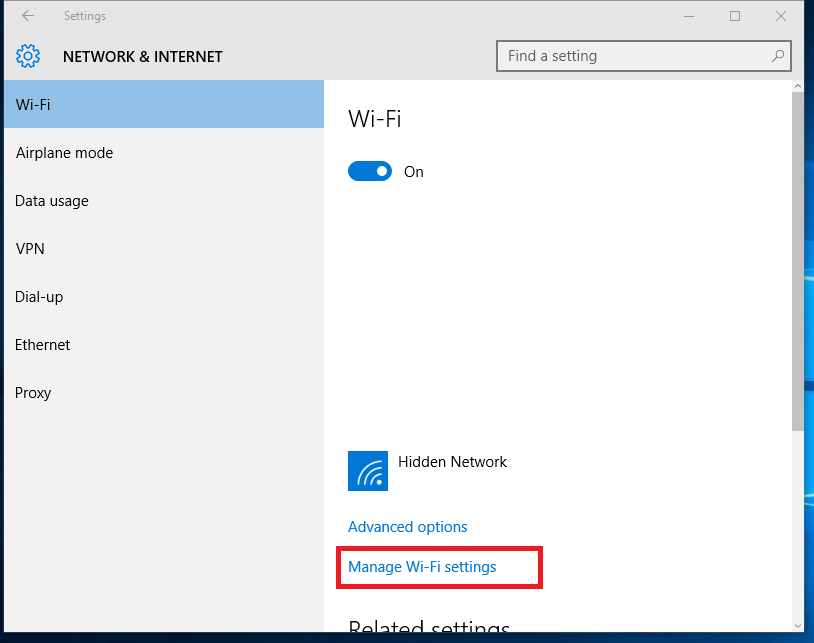
Step 3
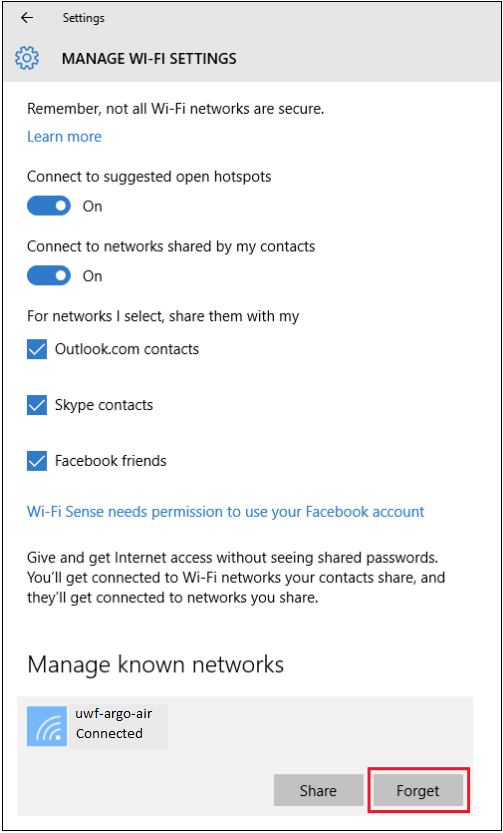
Click Manage Wi-Fi settings
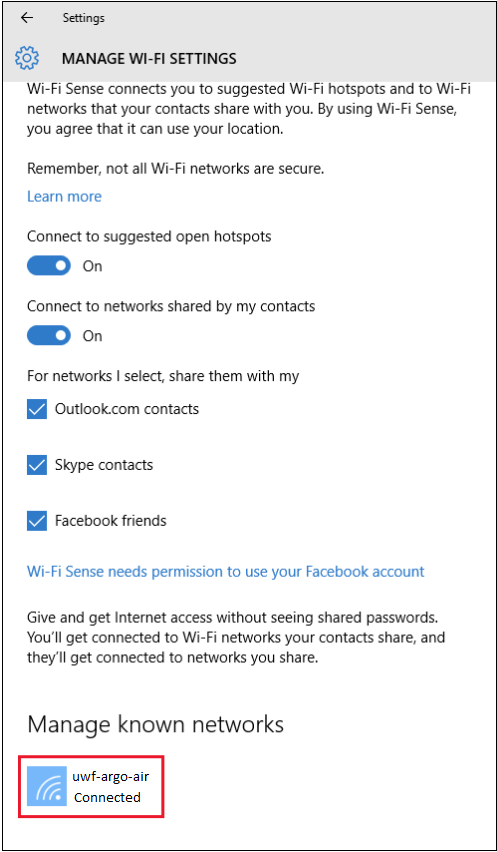
Step 4
Under Manage known networks, click the network you want to delete.
Step 5
Click Forget. The network profile will be removed
| Include Page | ||||
|---|---|---|---|---|
|