
...
| Excerpt |
|---|
UWF Parking Services is one of many university auxiliary operations that receives no direct funding from students' tuition, the university, or the State of Florida. As such, this program is largely funded and operates through permits purchased by students, faculty, and staff who choose to park on campus. Major uses of parking funds include parking lot maintenance and construction, crosswalk upgrades for safety, trolley/bus shelters, and operation and enforcement of parking lots in accordance with UWF's parking rules and regulations. All students, faculty, and staff are required to purchase a parking permit. You can buy a permit for the semester or for the year. Fees for permits change year to year. You can purchase either a hangtag or a decal. |
Permits must be purchased online. Students and employees should log into My UWF and search for the "Parking Permits, Citations, and AppealsTransaction Portal" app, which will lead to the parking E-Business site. Payment Payment options include debit/credit cards and E-checks, and employees who qualify for a faculty/staff permit may purchase their permit through payroll deduction (deducted in 4 consecutive pay period payments).The E-Business site will list the permits available to you, the purchaser, based on your specific classification data. The The site will list prices and permit expiration dates, and will allow for receipt printing.
...
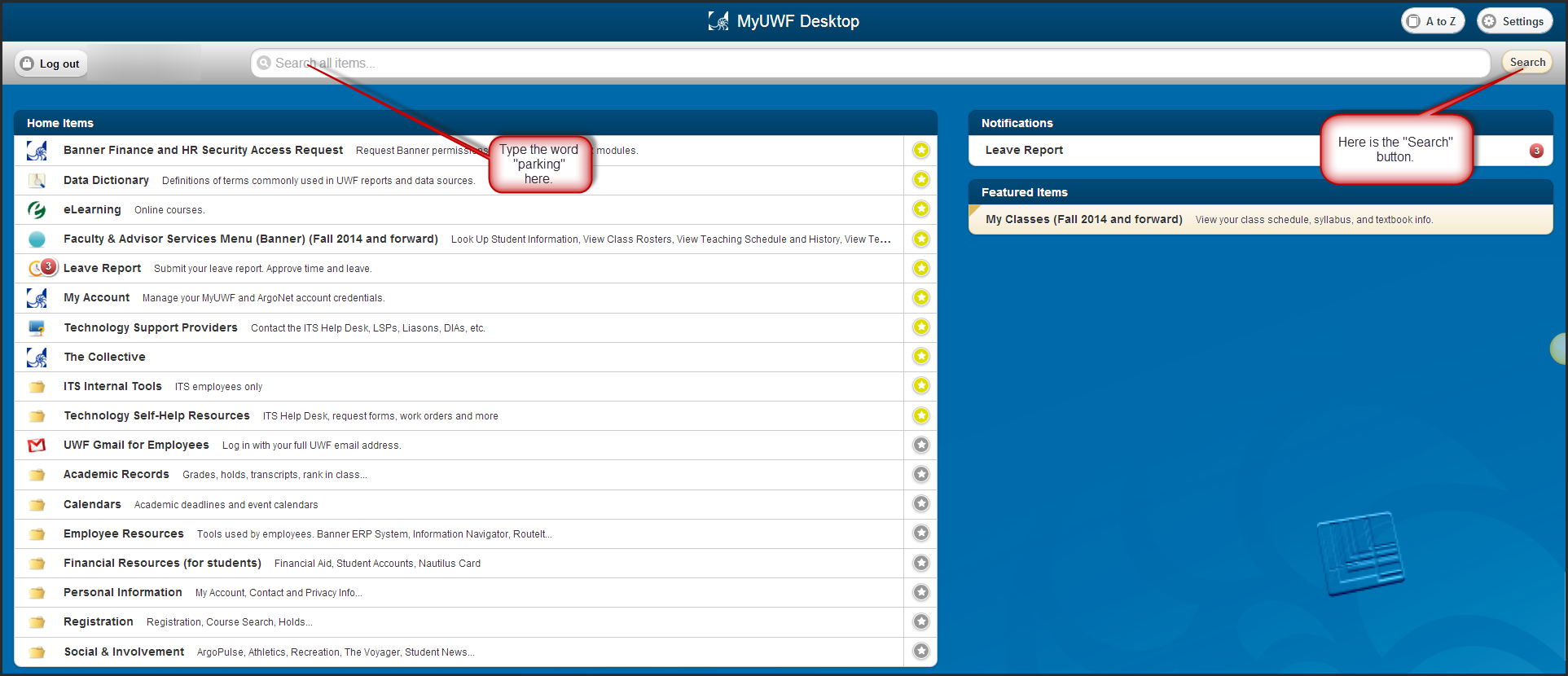
Locate the search bar across the top of the window. Type "Parking Permits, Citations, and Appeals" and click the 'Search" button.
Step 3
Click the "Parking Permits, Citations, and Appeals" app.


Step
...
3
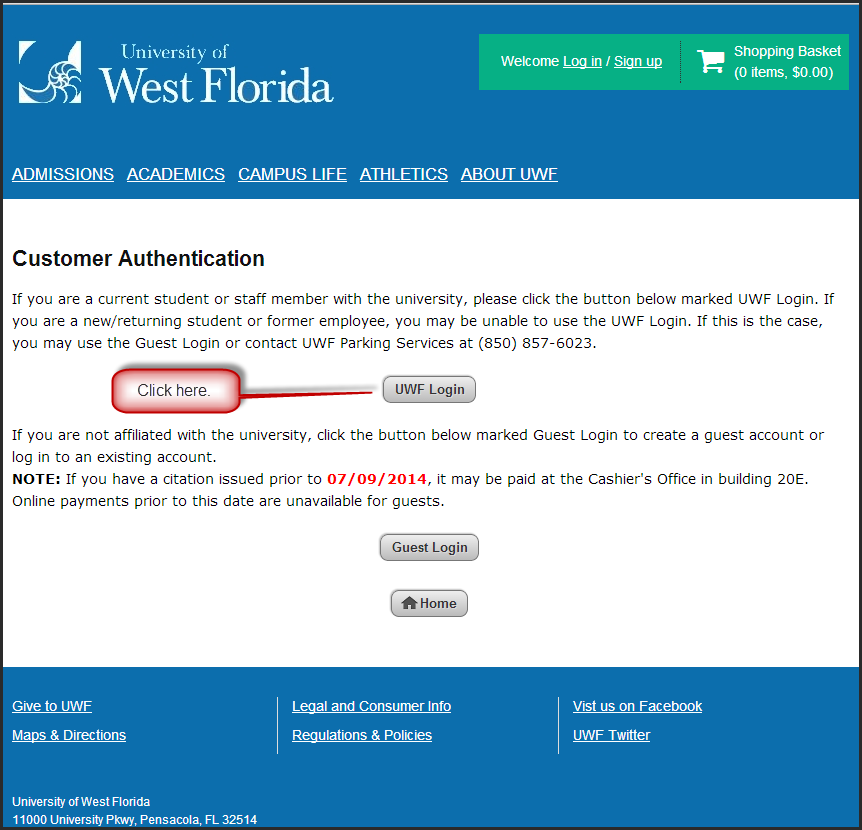
Click the 'UWF Login" button if you are a current student or staff member with the university.

Step
...
4
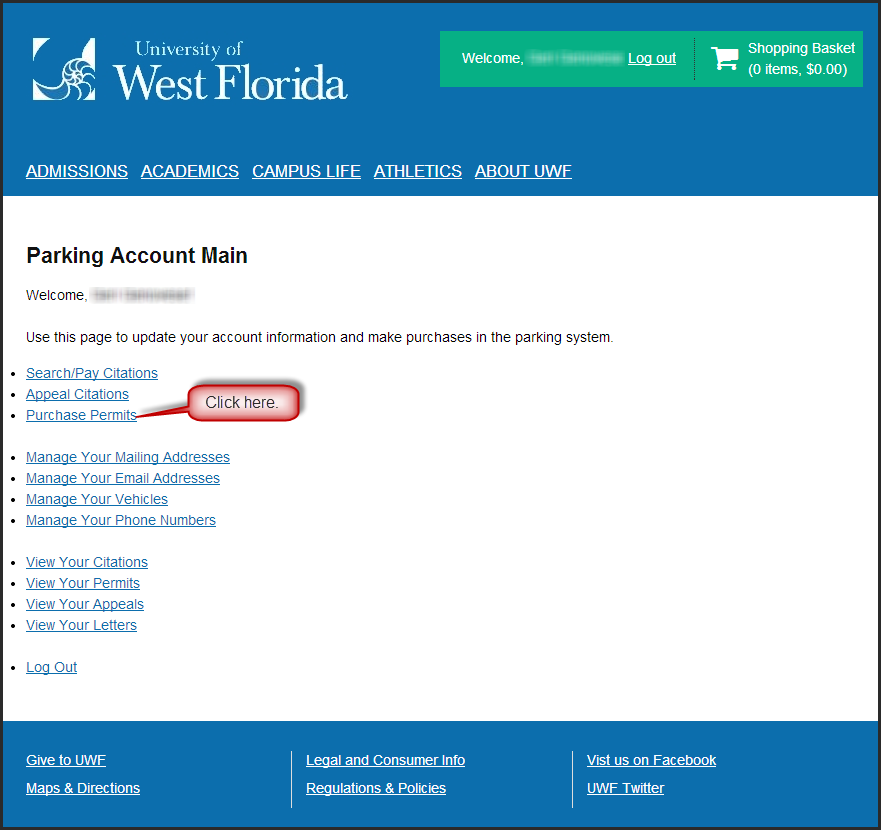
Click on the "Purchase Get Permits" link.

Step
...
5
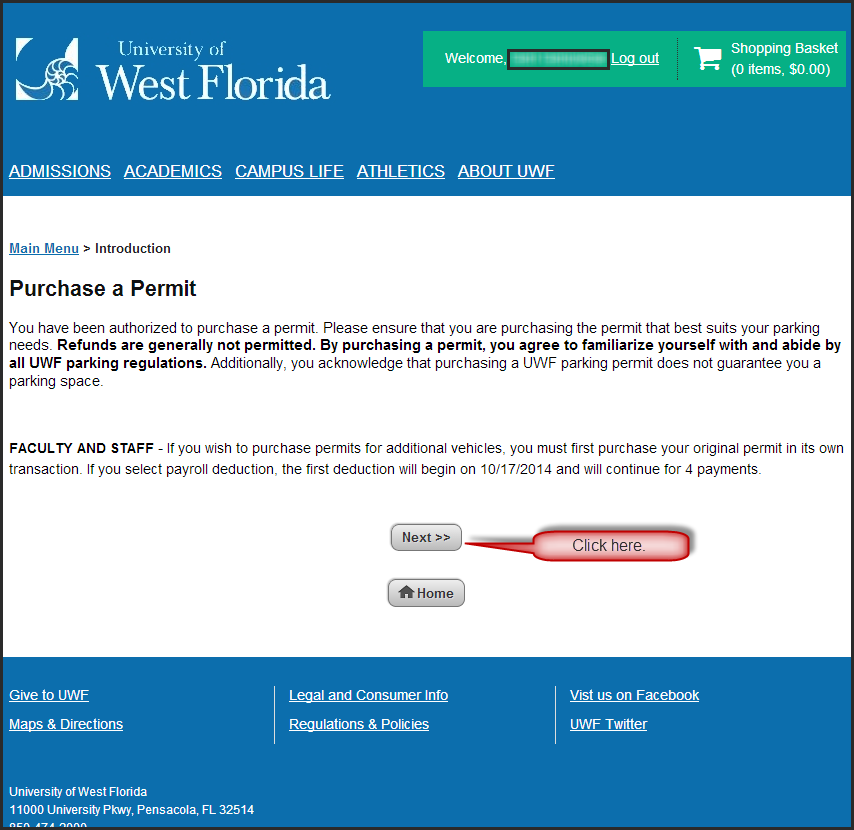
Read the introduction to purchasing a permit and click , about the types of permits, and about the Free 14-day Temporary Permit. Click the "Next" button.

Step
...
6
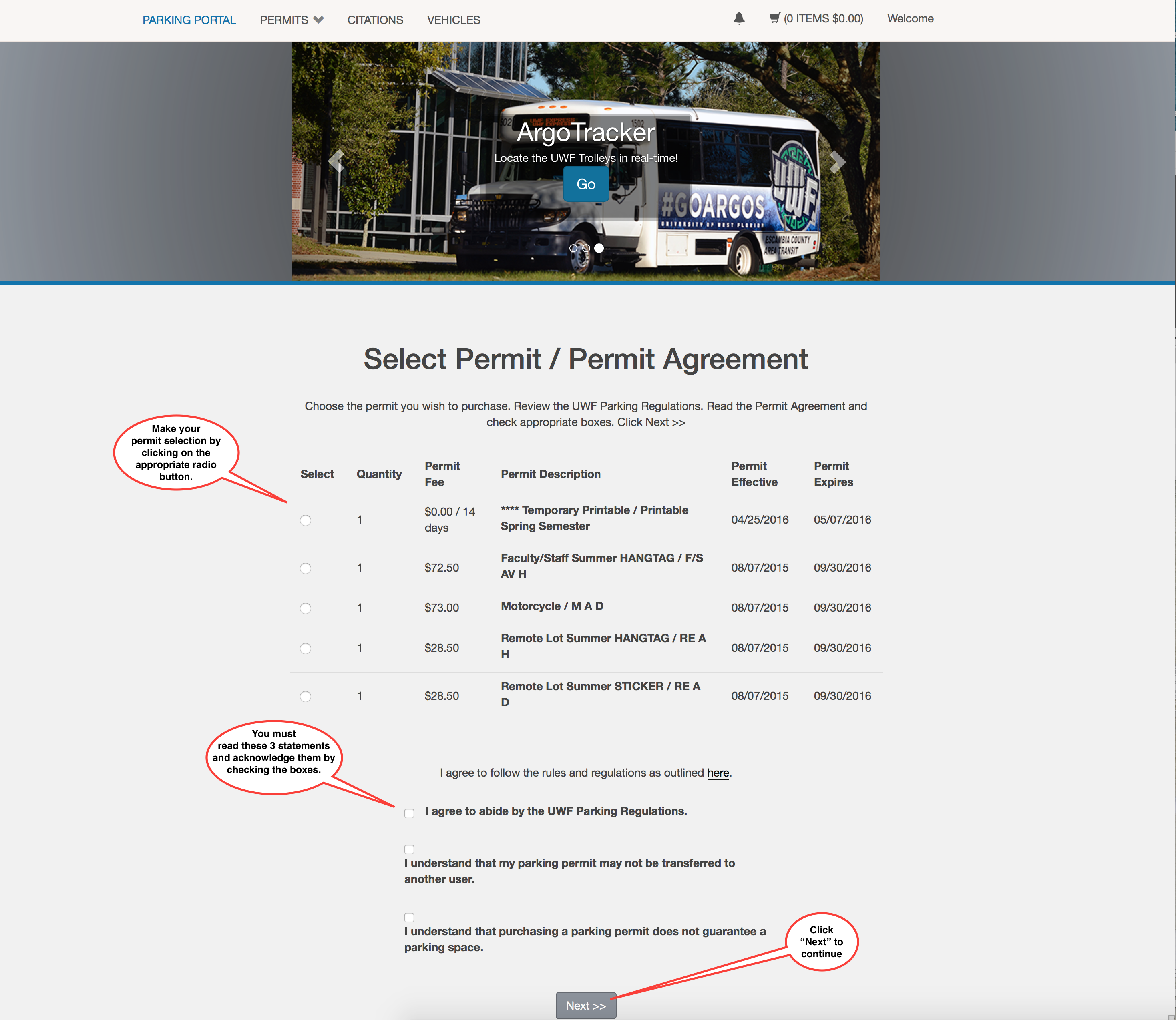
Select the permit you wish to purchase. Please keep in mind that you may not be able to purchase certain permits because of your classification (e.g., students cannot purchase faculty/staff permits) and because of time constraints (e.g., permits for the spring semester may not be purchased before December).
Step 8
After selecting your permit, scroll to the bottom of the screen, and read the Permit Agreement. Click the three Read the Permit Agreement (3 statements by checkboxes at bottom of page). Click the 3 checkboxes only if you agree to agree to and understand the parking rules and regulations.
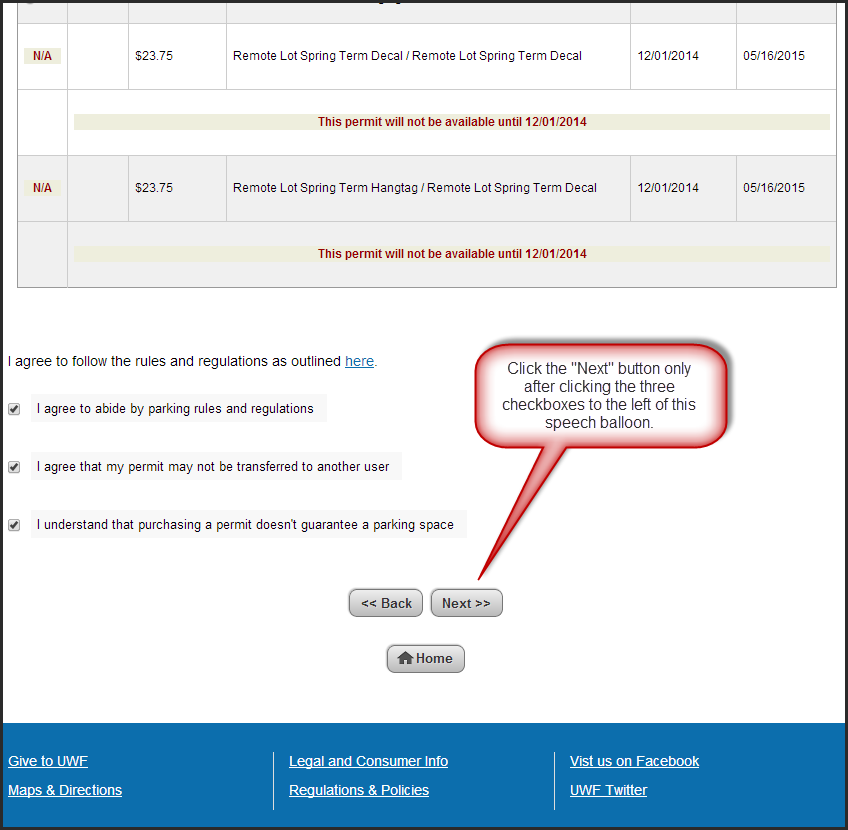
Click the "Next" button.
Step
...
7
Click the checkbox to select the vehicle for your permit, and then click the "Next" button.
...
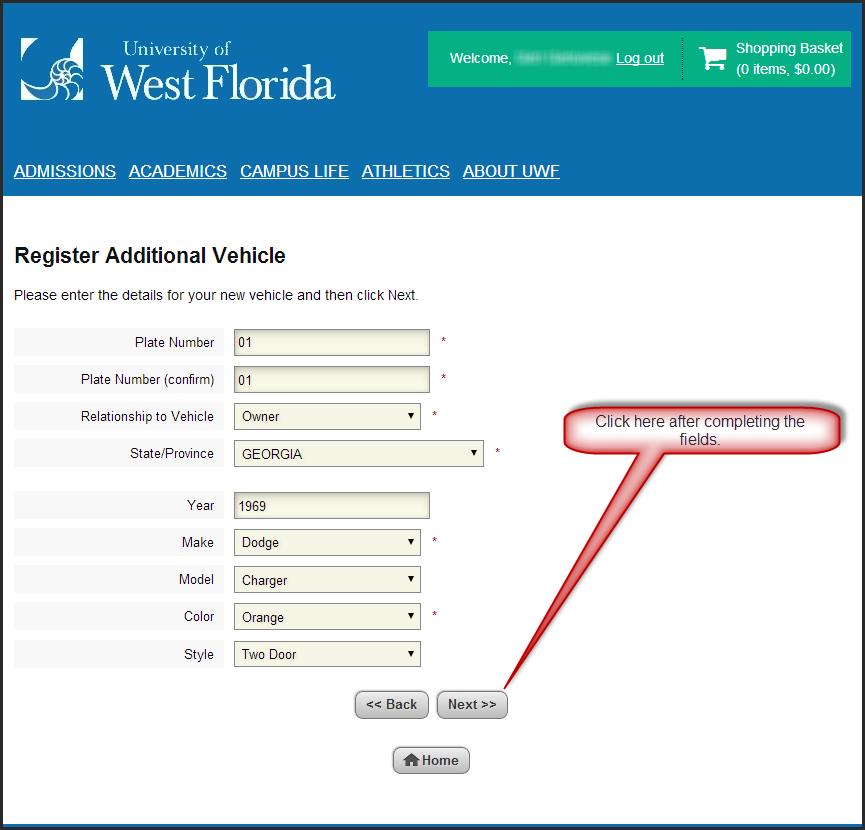
**Complete the fields and click the "Next" button. After completing the fields and clicking the button, you should see what is pictured in Step 9, the page titled "Select your Vehicles for Permit." Click the checkbox to select the vehicle for your permit, and then click the "Next" button.
Step
...
8
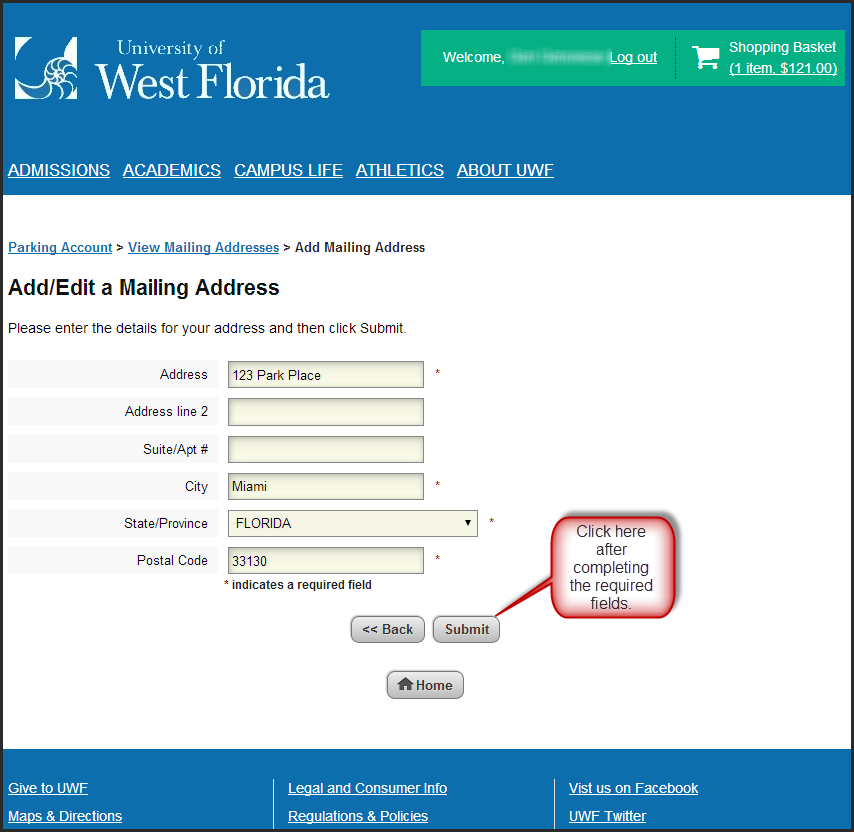
Click the drop-down menu to select a delivery option. You may
...
***If you choose to add a new address, you will have to complete the following fields and click the "Next" button. You will then be asked to click the "next" button to confirm the new delivery address.
Step
...
9
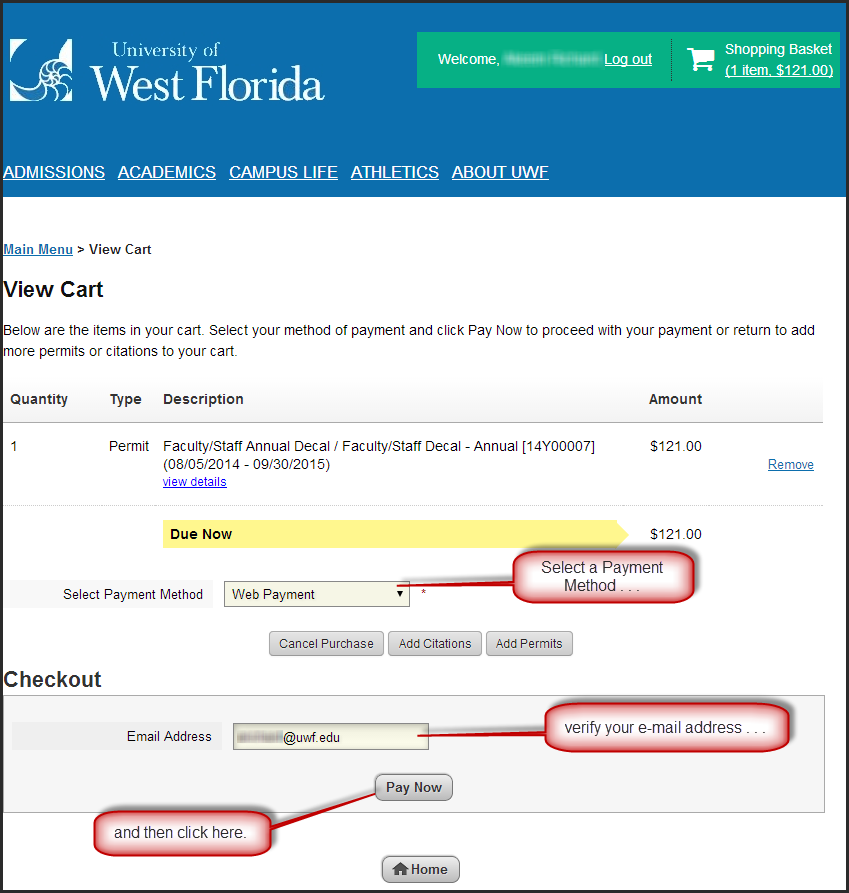
Select your payment method, verify your e-mail address (so that you can receive your receipt), and click the "Pay Now" button. You will be redirected to the UWF CashNet site so that you can enter your credit/debit card or E-Check information, if applicable. If you are an employee and selected Payroll Deduction, you will not be directed to the UWF CashNet site.
Step
...
10
Enter your debit/credit card, checking information, or select payroll deduction (if applicable) to finish purchasing your permit.
...