 Image Modified Click here for 58-sec video instructions fo disabling a privacy restriction on your student record Image Modified Click here for 58-sec video instructions fo disabling a privacy restriction on your student record
- Text instructions:
- Log intoMyUWF and search for the Contact and Privacy Information app
| Expand |
|---|
| title | Click here for screenshot of MyUWF - Contact and Privacy Information app |
|---|
| |
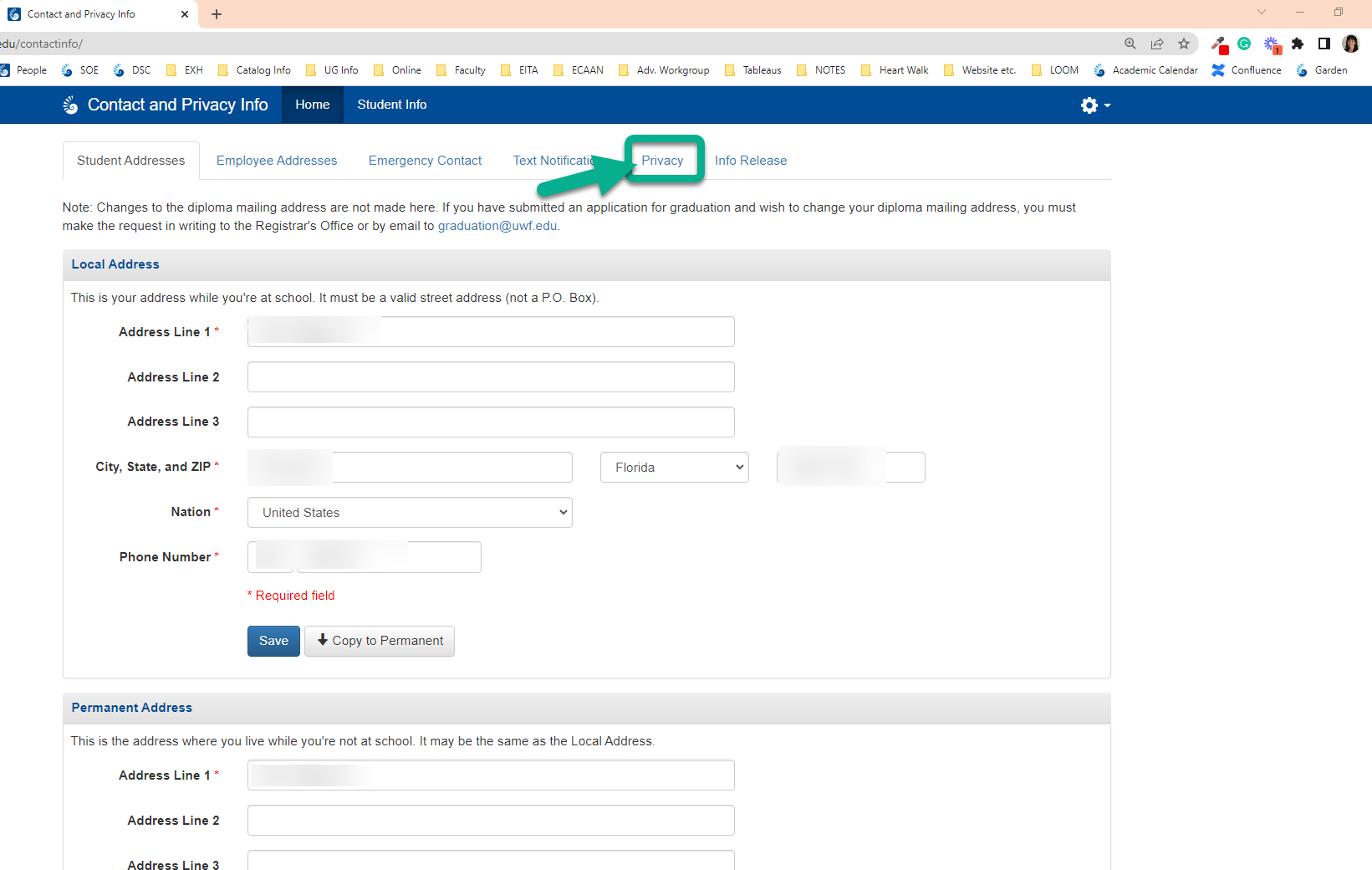
- Click on the Privacy tab at the top of the page
| Expand |
|---|
| title | Click here for screenshot of "Privacy" tab... |
|---|
| 
|
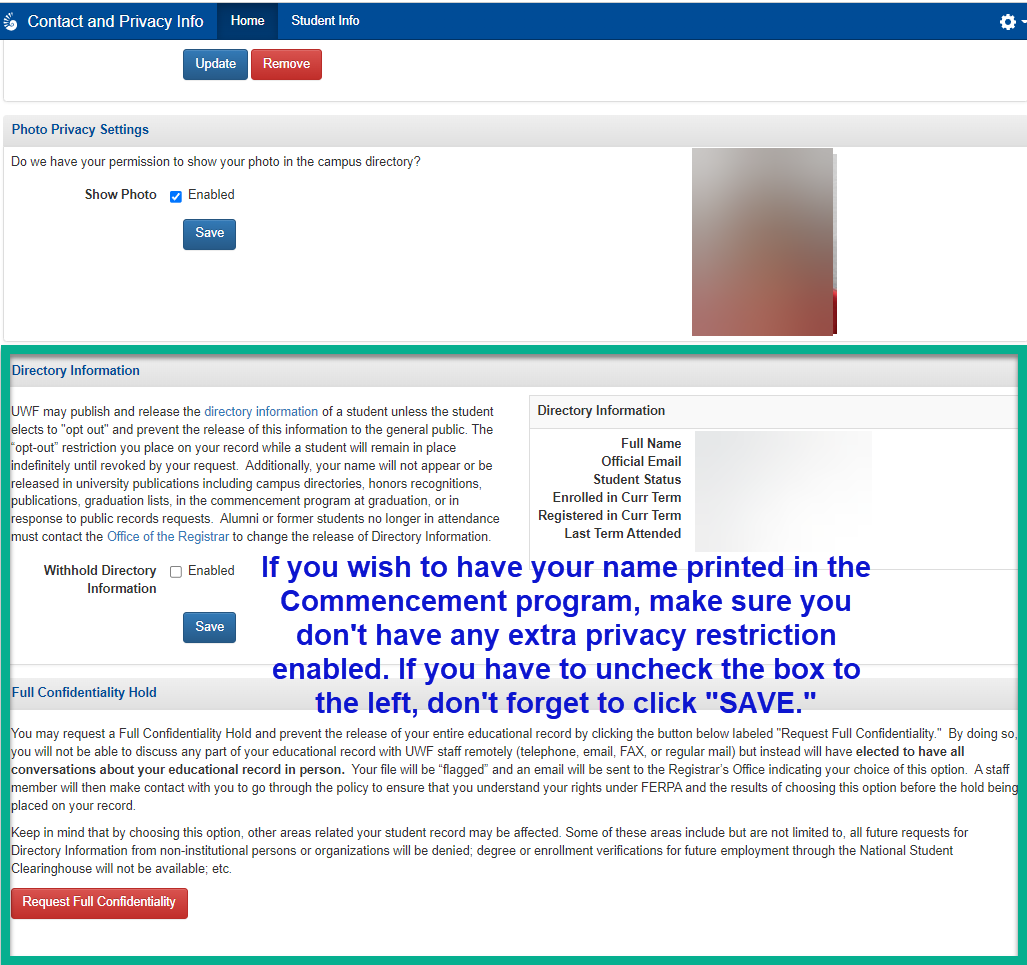
- Under the Privacy tab - be sure to UNCHECK the Withhold Directory Information checkbox. Click SAVE.
| Expand |
|---|
| title | Click here for screenshot in the app to disable withholding directory information |
|---|
| 
|
- If you have a Full Confidentiality Hold, contact the Registrar's Office to have that designation removed (if it is your intention to do so). Remember, with the Full Confidentiality Hold, you must contact them in person or via your official UWF student email account. You cannot contact them via phone.
| 
