
Overview
Canvas course chat is available to all students and faculty with access to a Canvas course in eLearning. Canvas Course chat is limited to messaging all users of a single course only. One-on-one chat is not available.
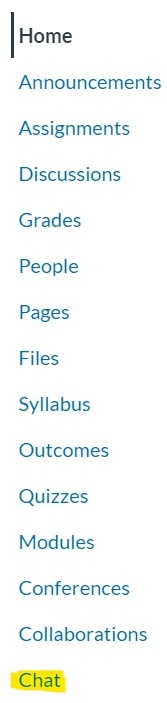
To access your course's chat interface, select Chat from the course menu.
Using Canvas Chat
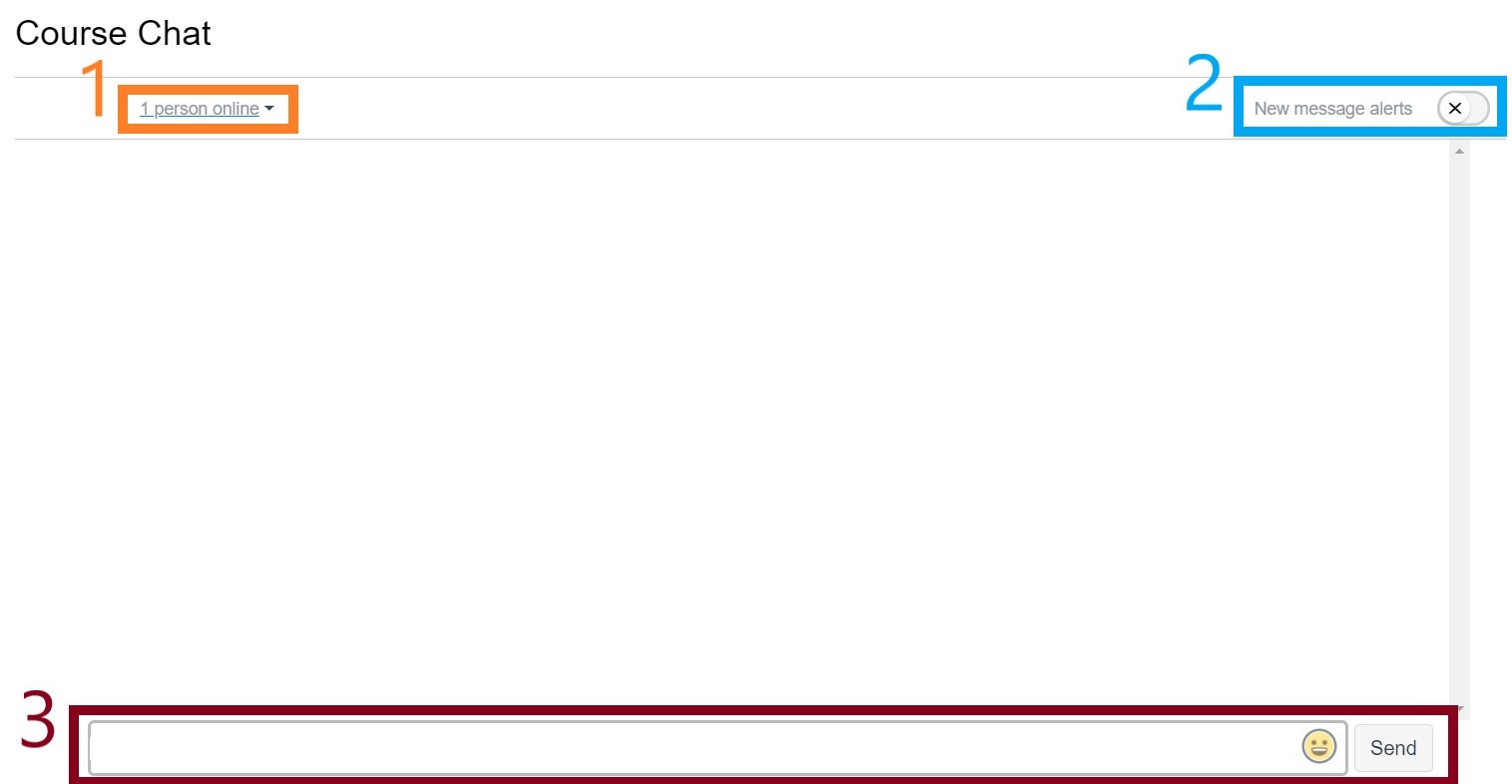
From the chat screen, you will be able to:
- See who is online
- Toggle new message alerts on or off
- Chat with other students/faculty in your course
Enabling Canvas Chat in your Course (for instructors)
- Log into eLearning and access the course
- Select Settings from the left course menu
- Select the Navigation tab
- Click and drag Chat from the Drag items here to hide them from students section up to course navigation section
- Select Save
- Chat is now enabled for your course
| Include Page | ||||
|---|---|---|---|---|
|
| Panel | ||||||||
|---|---|---|---|---|---|---|---|---|
| ||||||||
|