
...
1. A student establishes a parent login through their student CASHNet account in MyUWF. First, a student would log into MyUWF directly at http://my.uwf.edu with their ArgoNet username and password.
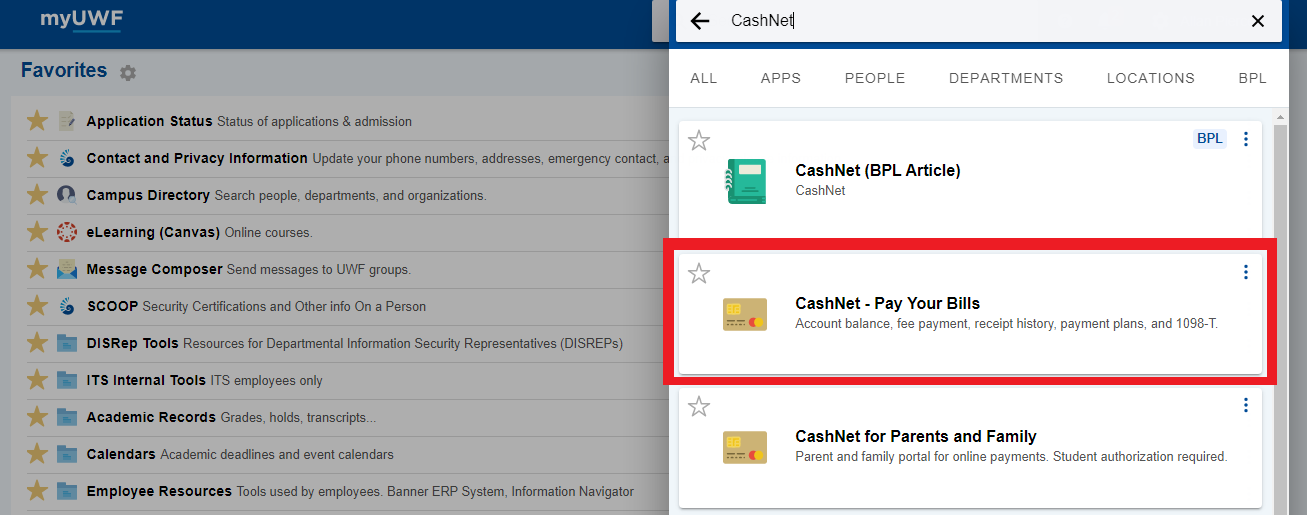
2. Once logged into MyUWF search for CashNet - Pay Your Bills
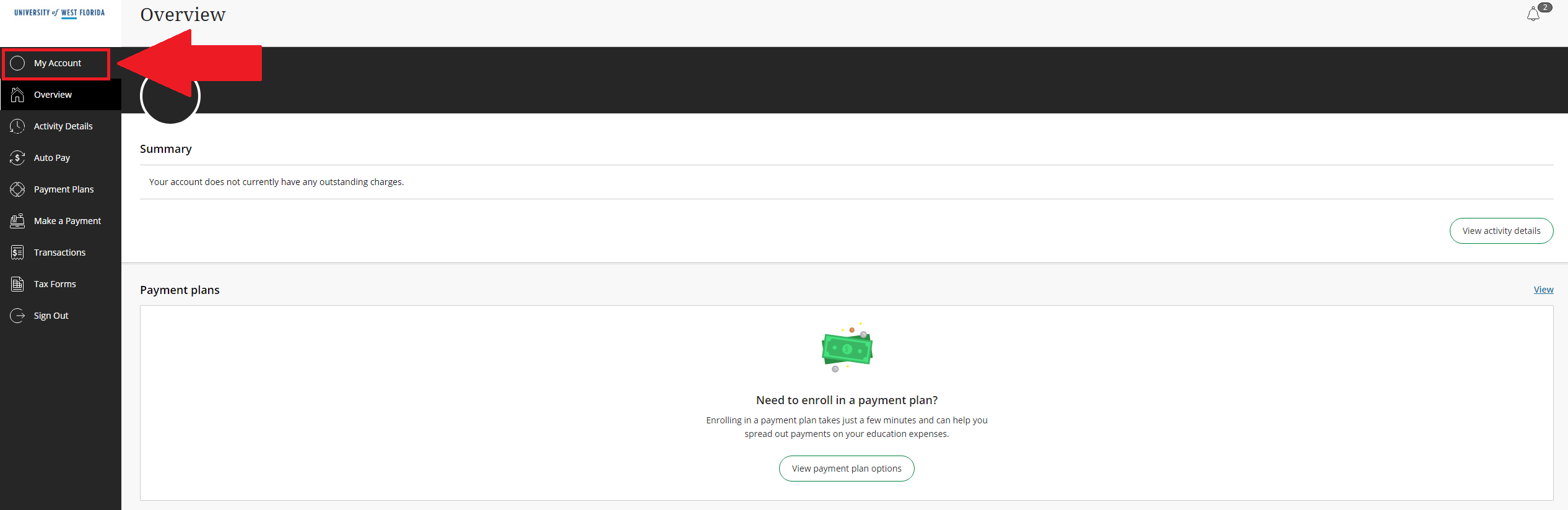
2. From the CashNet main page select the My Account option on the left side of the page
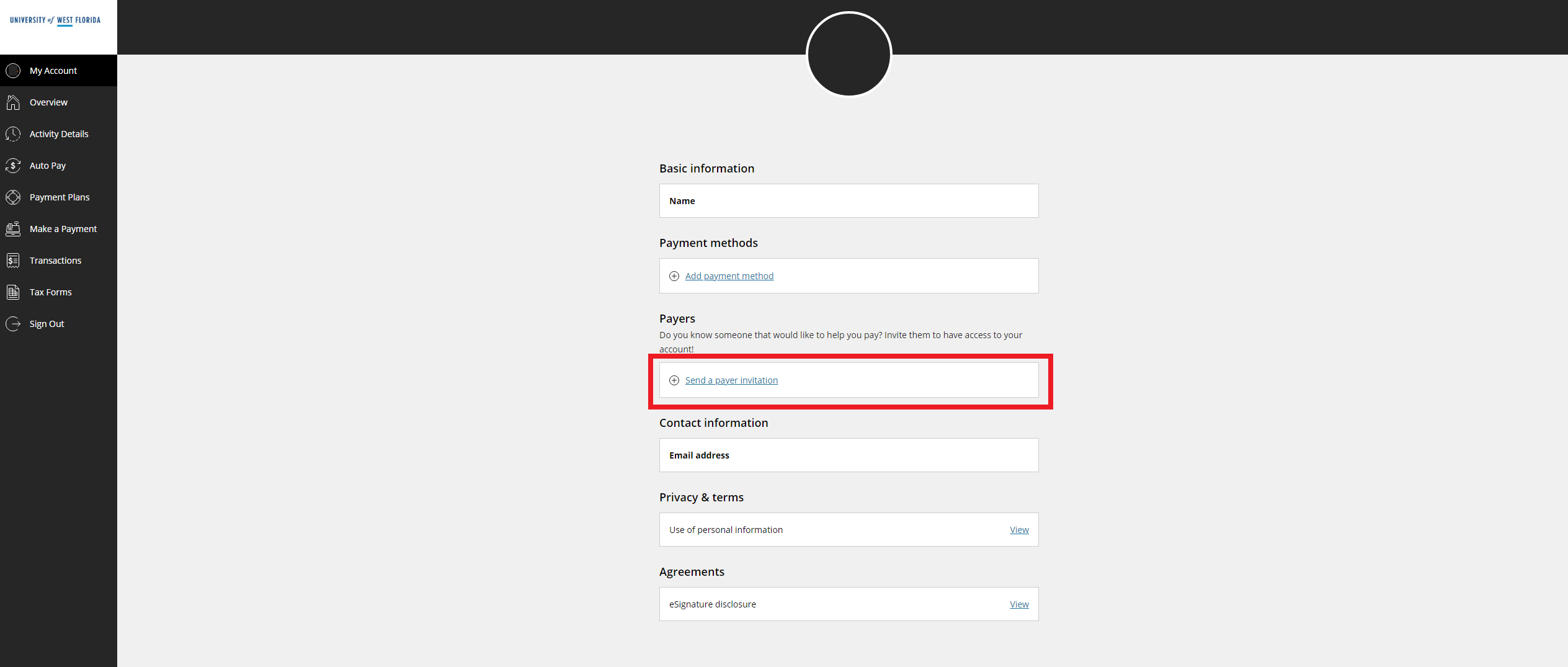
3. Click on Send a payer invitation to send a link to the person you would like to grant access to
4. Fill out the information required and send a link directly to the person you would like to set up access for and click Send invitation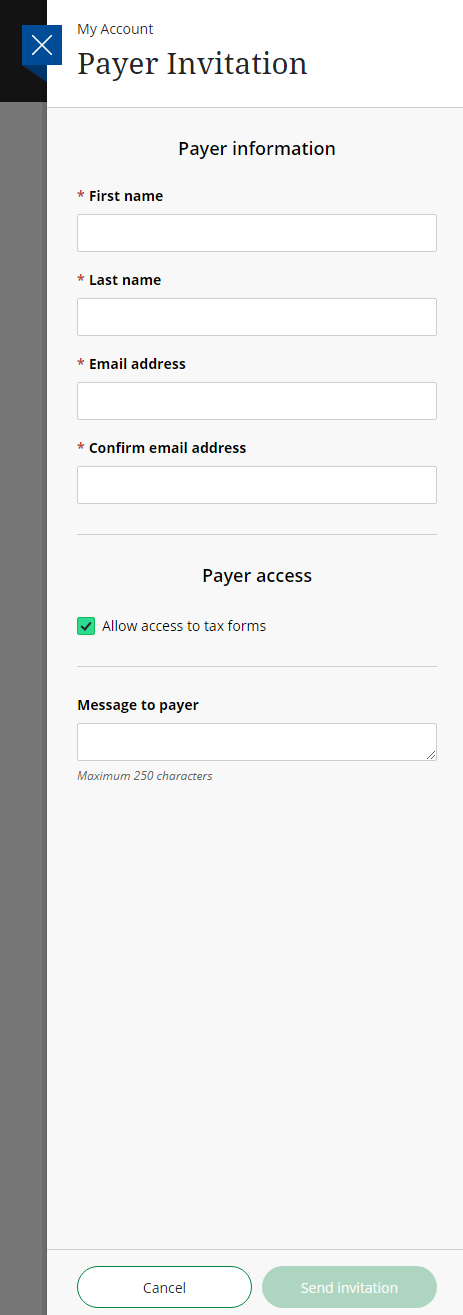
5. Once the student submits this information, the parent receives an email with their parent pin and a temporary password. The parent has the ability to change their password once they log in.
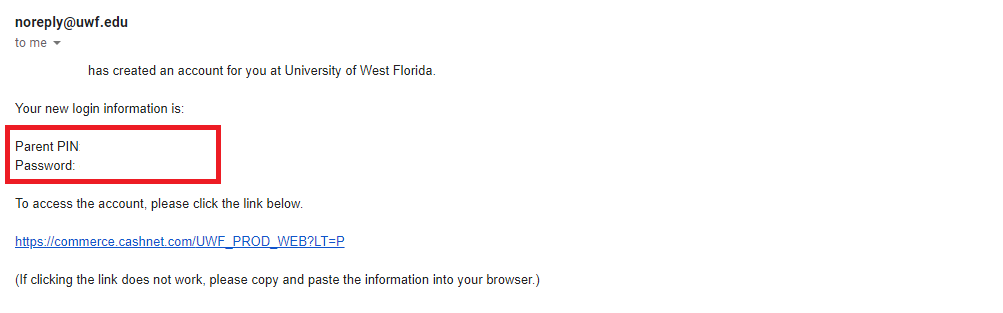
6. The parent can access the parent portal through the link in the email or by accessing the "CASHNet for Parents and Families" app in MyUWF. The parent does not need to log into MyUWF to access this app.

Once logged in the parent sees the same menu as the student and can view account details and pay.