
Overview
Message headers contain tracking information for an individual email message. This information includes the sender, recipients, subject and other tracking information. The ITS Help Desk can use this information to track suspicious emails.
| Warning | ||
|---|---|---|
| ||
Gmail's AI catches most spam and phishing messages. And the few times it doesn't, the only thing that end users should do is mark the message as spam. When end users do this, Gmail's AI will learn to catch similar messages in the future. |
Sometimes the ITS Help Desk may request that you send additional info. Please follow the instructions below only when the ITS Help Desk requests this additional infoInternet users are encouraged to mark these messages as Spam. But if they also want to alert the ITS Help Desk, then they should email the message headers from suspicious email messages, instead of forwarding said messages. If Internet users forward suspicious email messages, their email services (Gmail, Yahoo, Outlook, etc) may mark their email accounts as malicious and temporarily close their accounts. So always send the message headers instead of forwarding the suspicious emails.
Instructions
Step 1
Open the suspicious email.
Step 2
Click More arrow >> Show original () >> Download message.
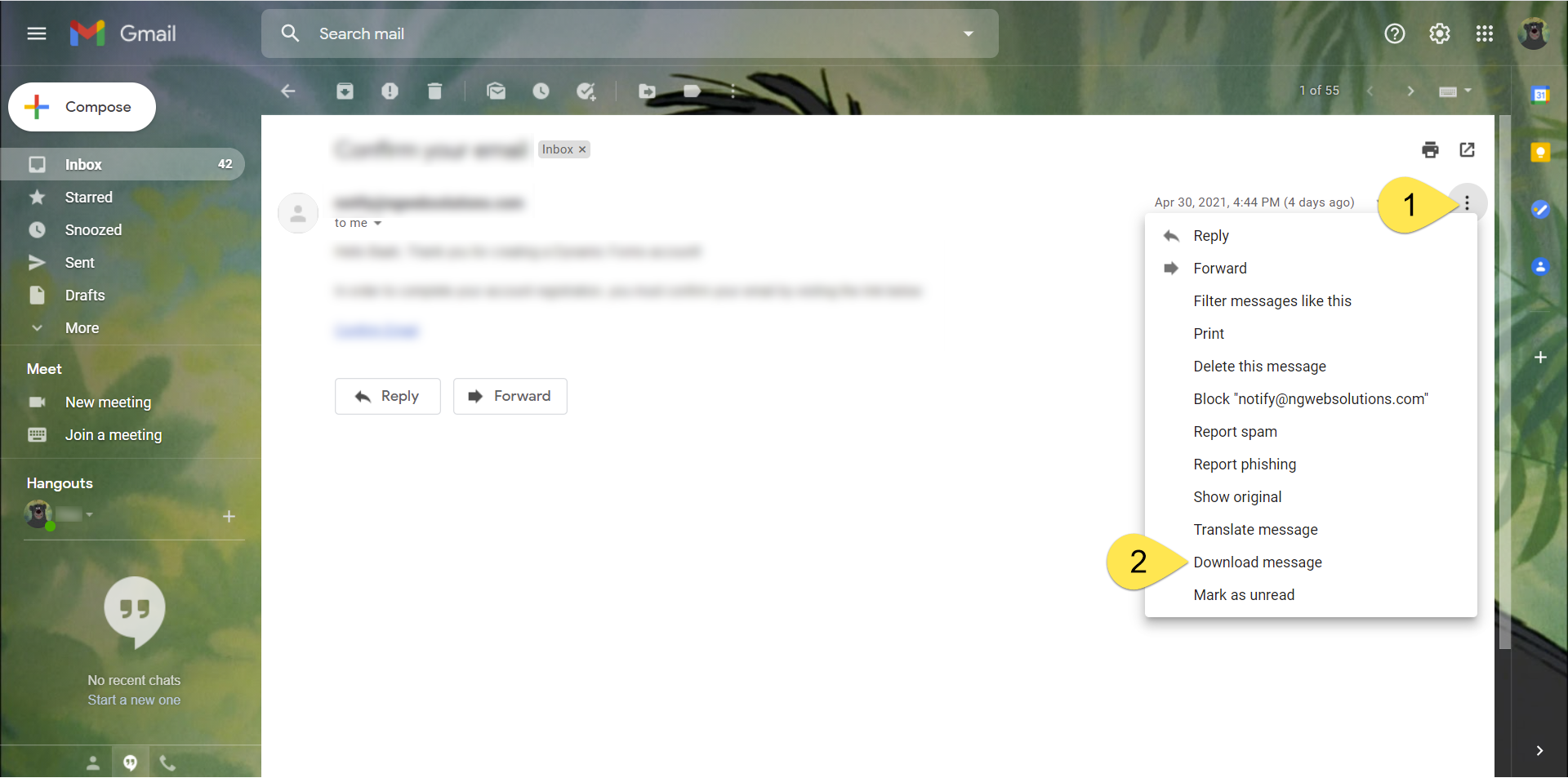
Step
32
An .eml Click the Download Original link. A text file should be downloaded to your machine.
Step 4
Compose a new email. Attach the text .eml file to the new message and email it to helpdesk@uwf.edu. Be sure to include in the email your Jira ticket number , if you have one.in the email subject.
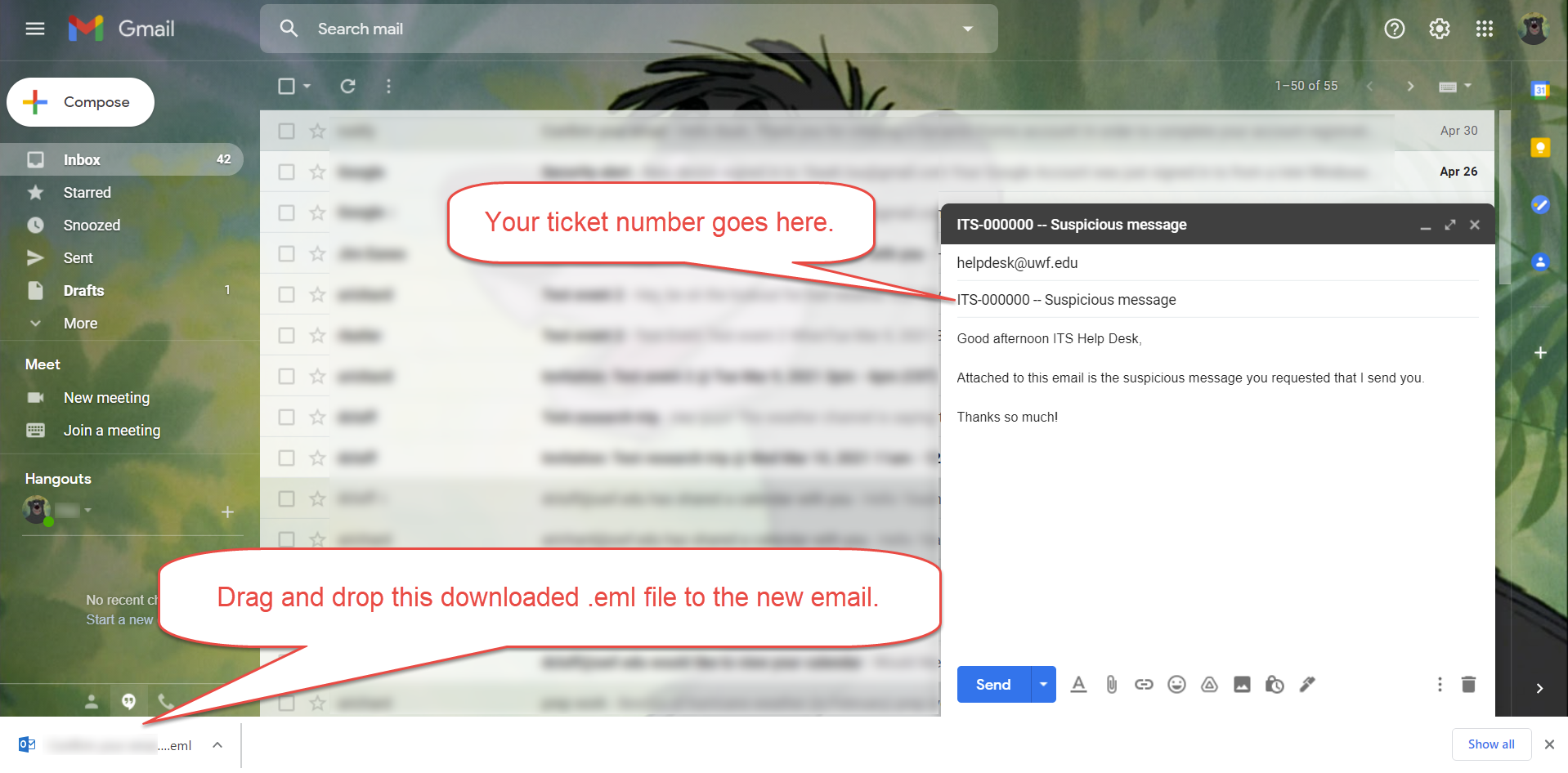
Next Step
Wait for a reply from the ITS Help Desk. We'll respond during our normal hours of operation.
Include Page ILP:_Help Desk Footer ILP:_Help Desk Footer
| Panel | ||||||||||
|---|---|---|---|---|---|---|---|---|---|---|
| ||||||||||
|